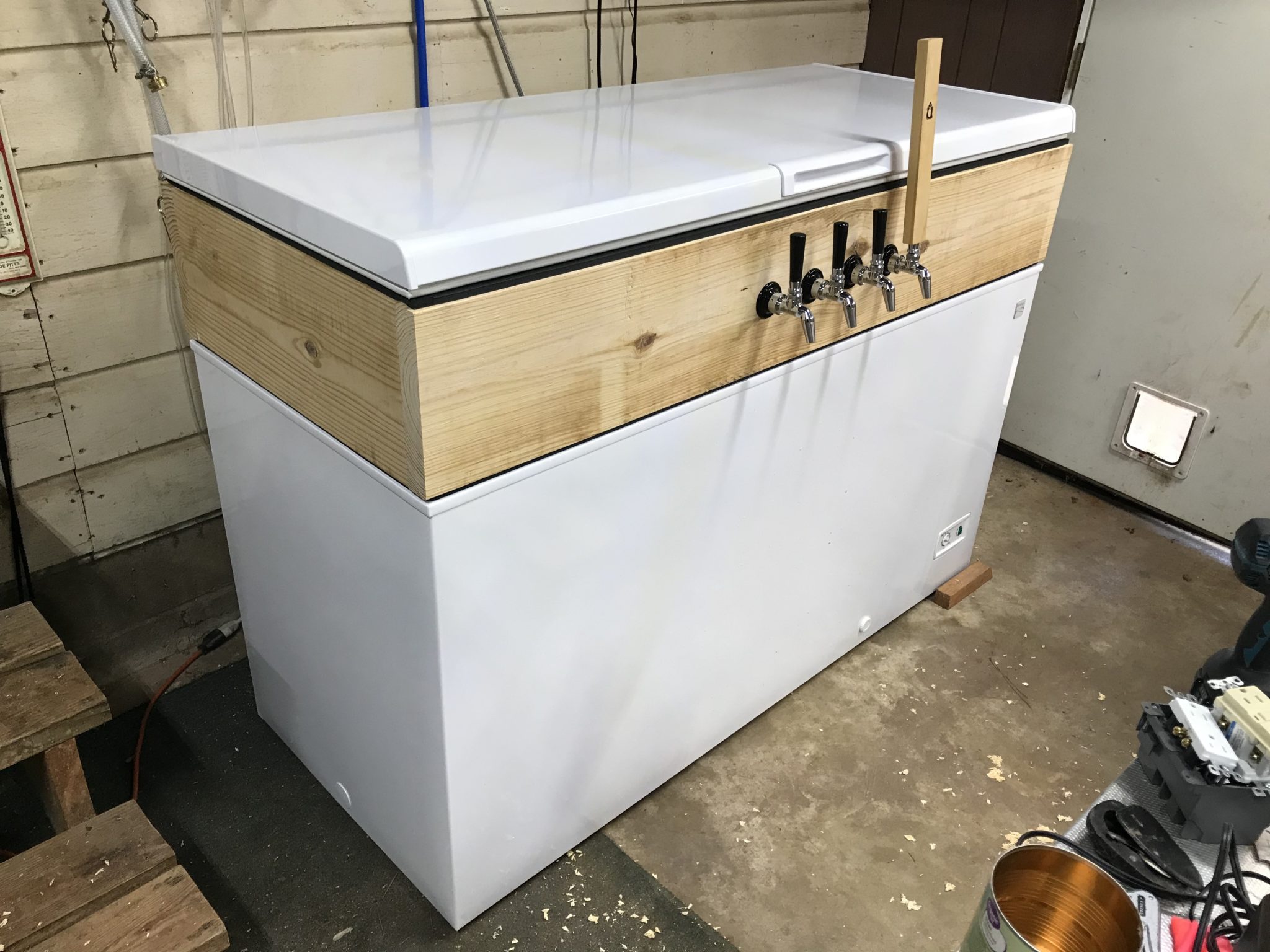
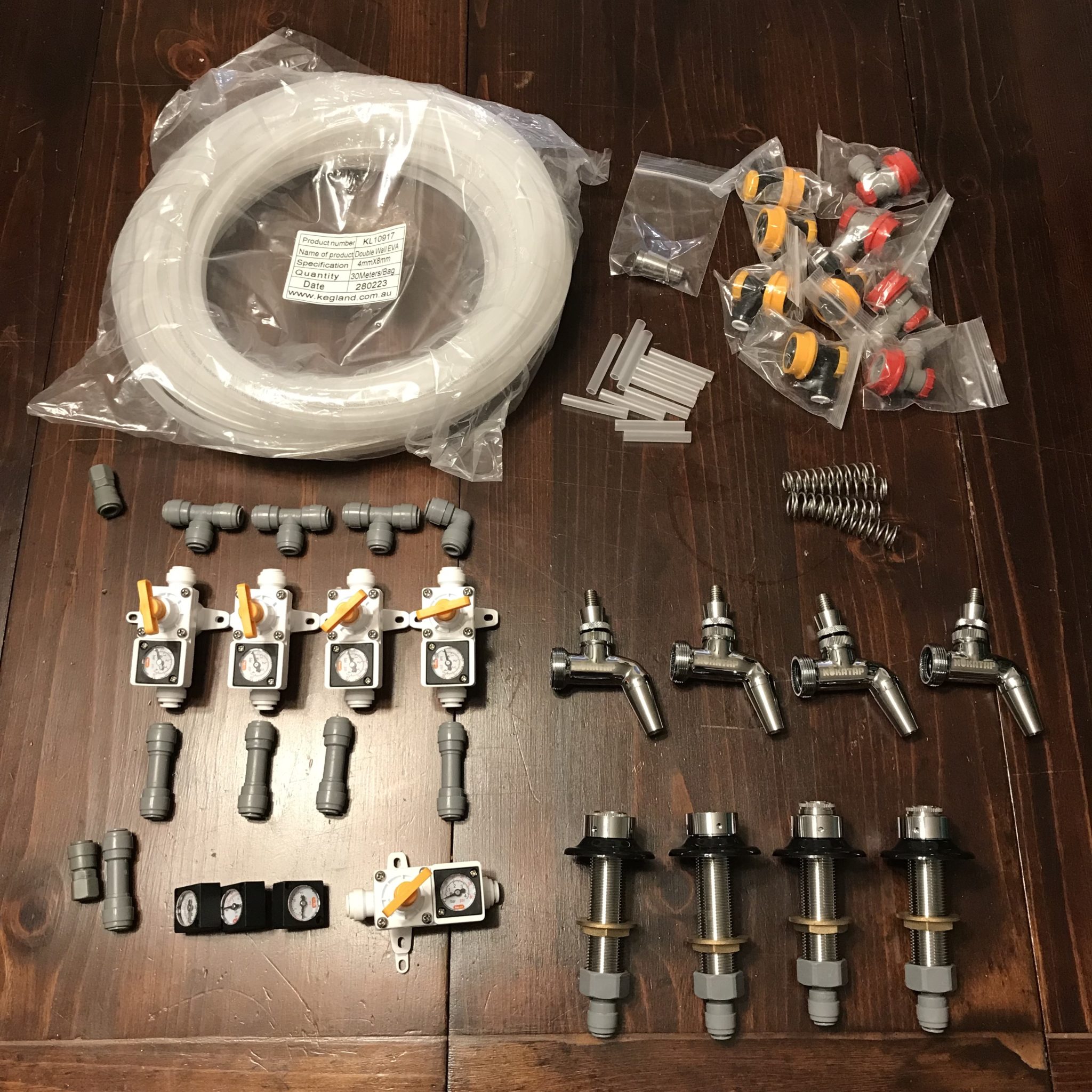
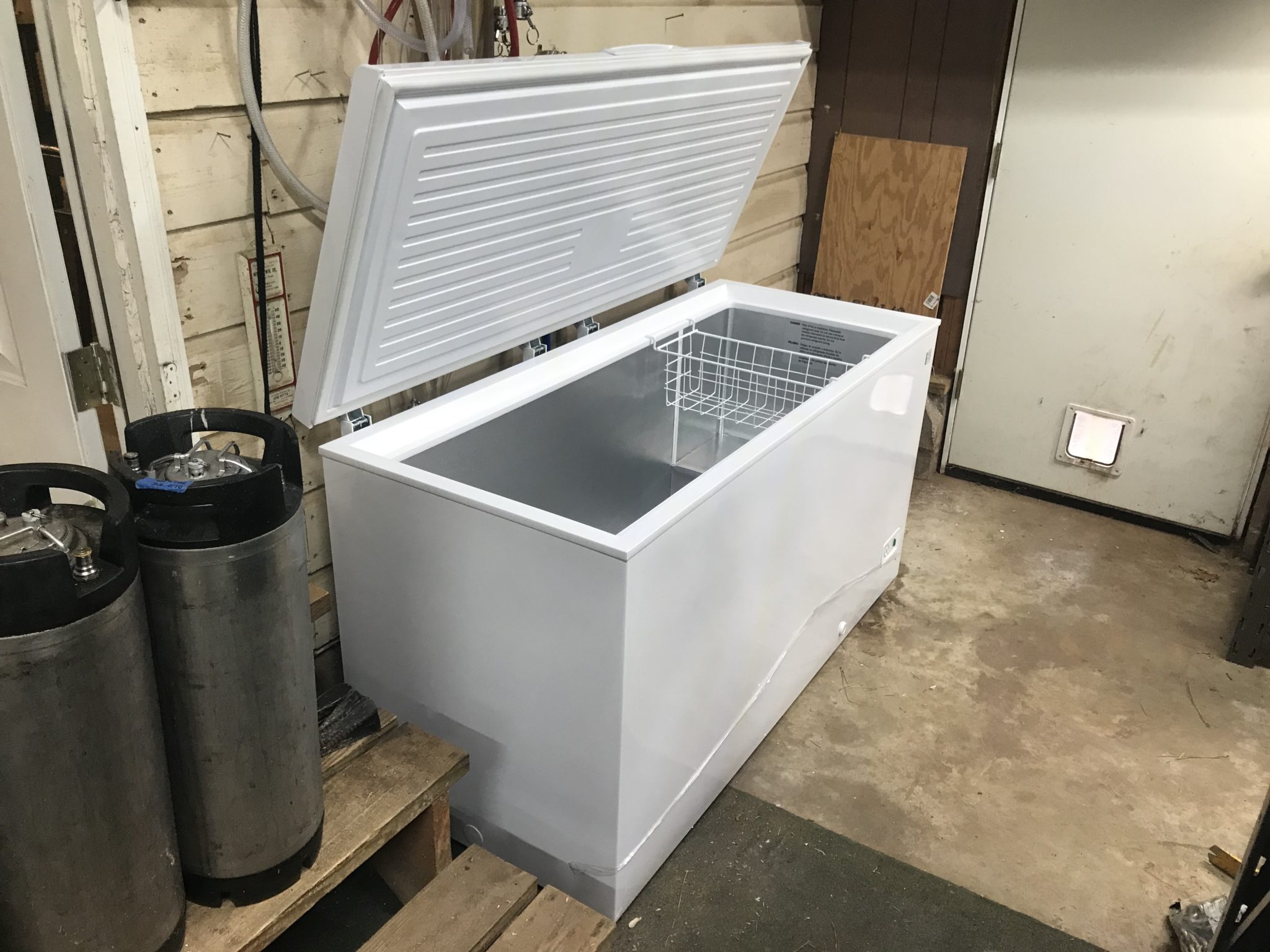
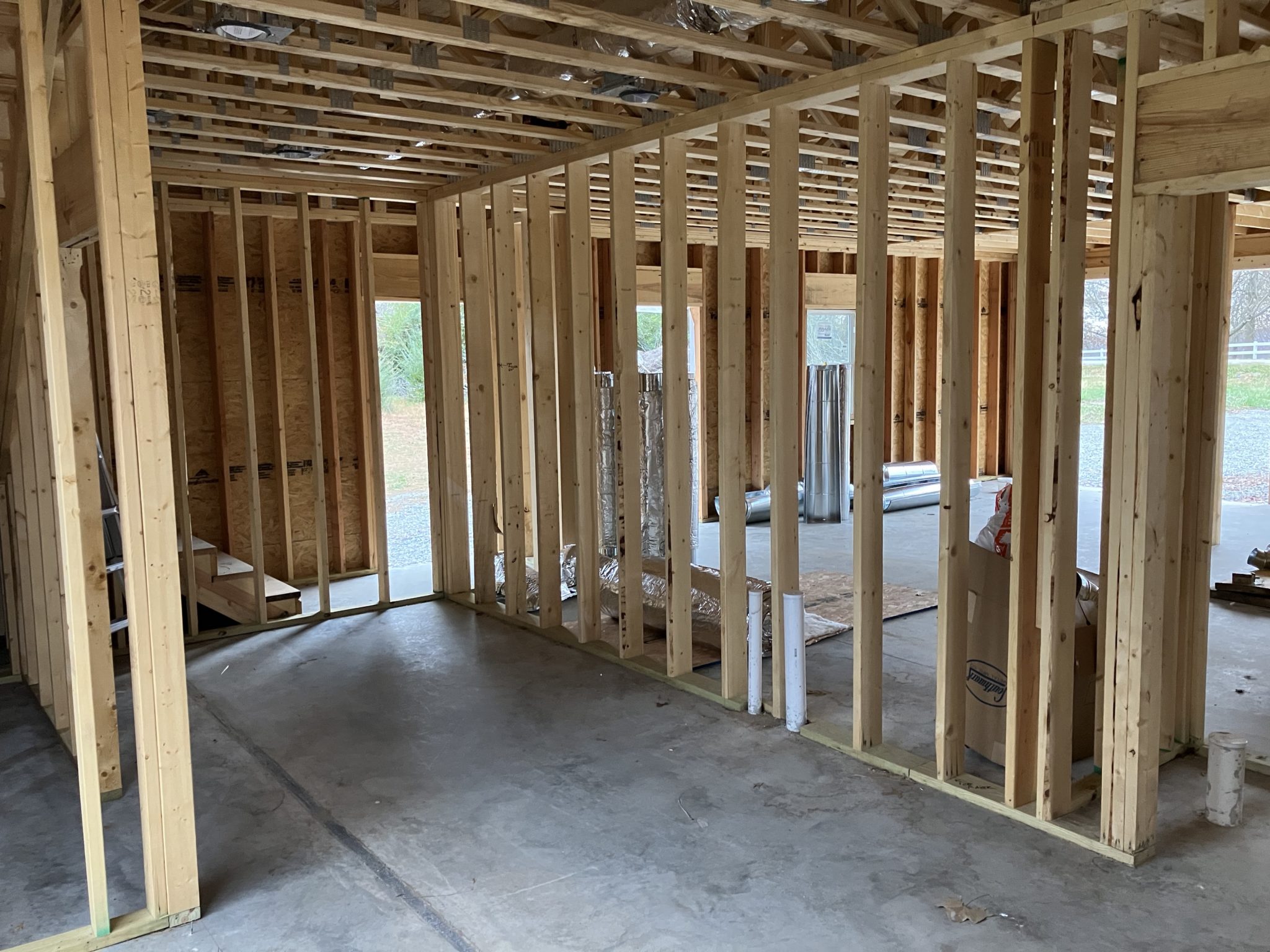
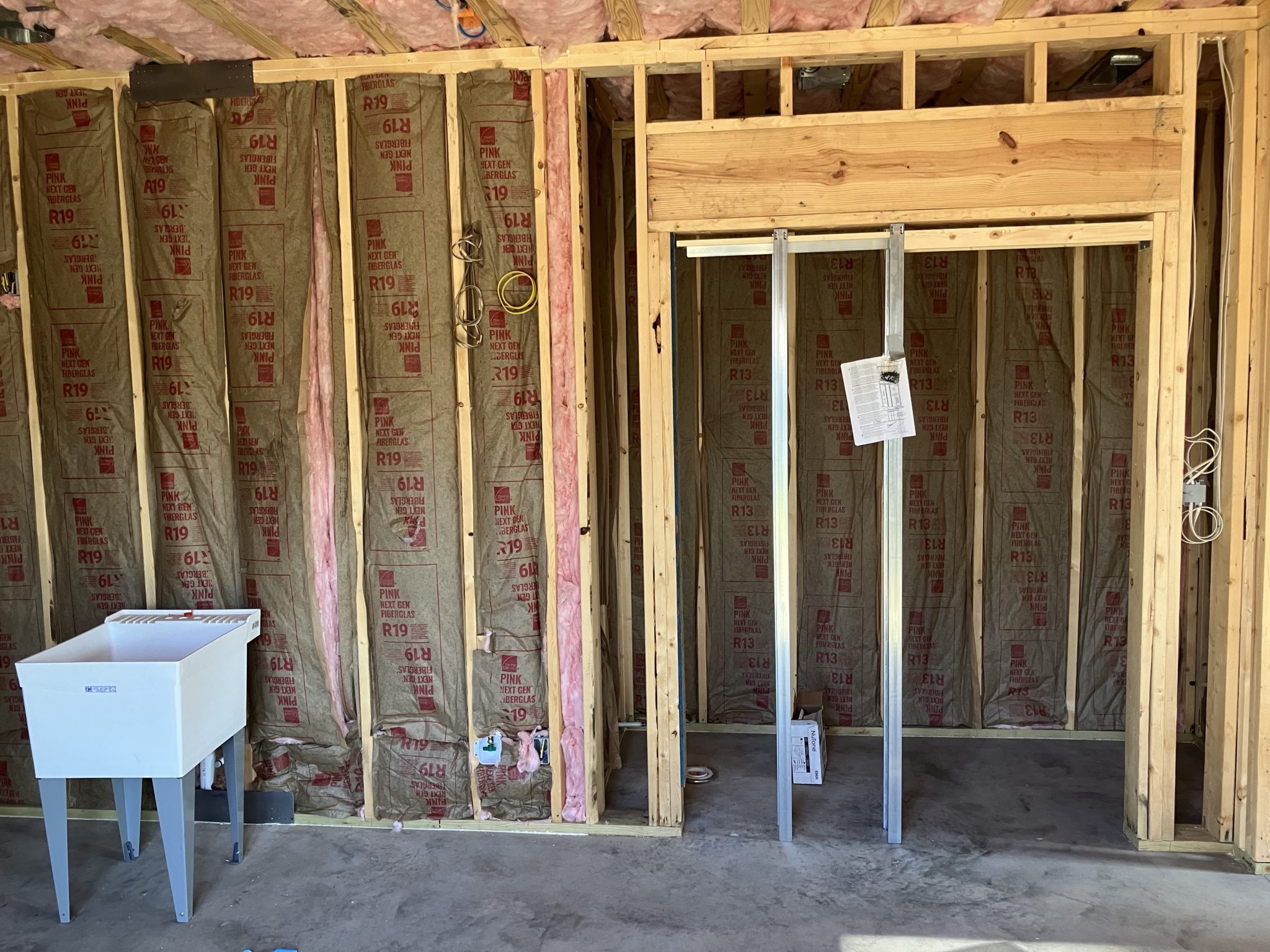
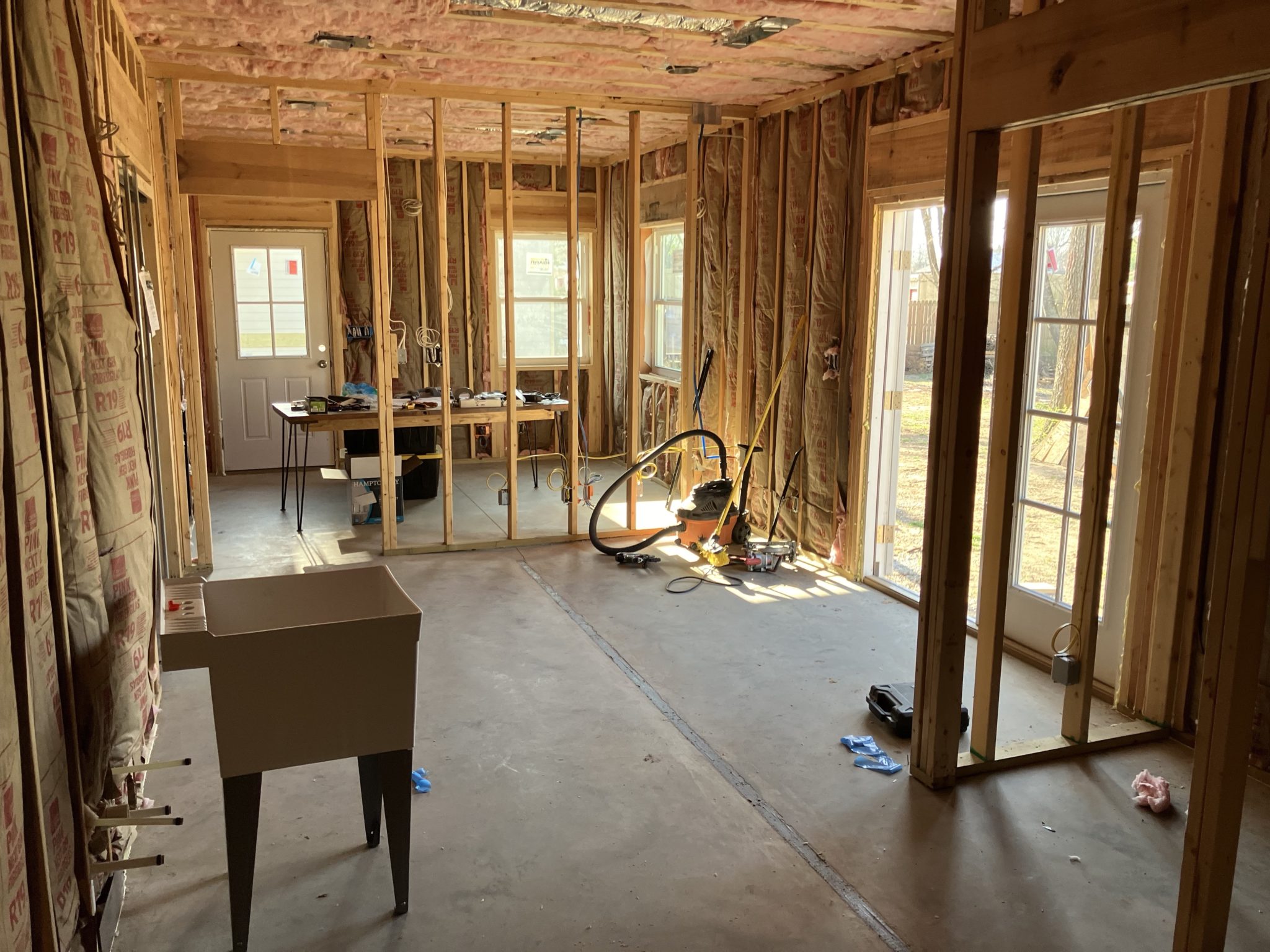
After building the collar for my keezer and adding a few features in part 1, it was time to add the taps and run beer lines. I decided to go with DuoTight fittings and Evabarrier line due to their price, ease of setup, and positive reviews.
I started with four taps, with plans to expand to six or more down the road. Since I’m doing 10 gallon batches, that’s 2 kegs per beer, and if I don’t put any kegs on the compressor hump, that’s 8 kegs or 4 beers in the keezer. But I could mix and match and squeeze a couple more in there, so there’s room to grow.
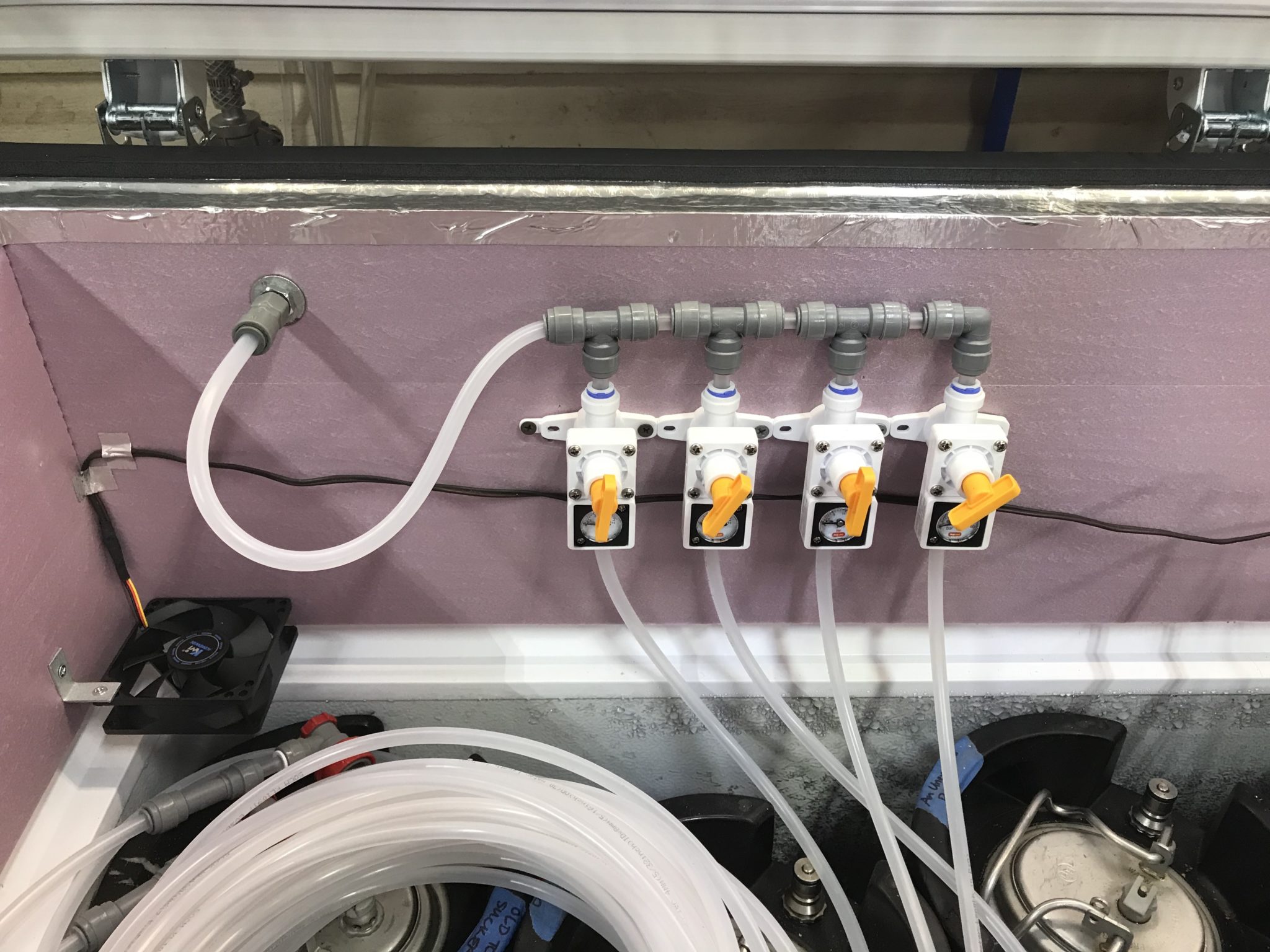
I opted to keep the CO2 tank outside the keezer to save space, and I plumbed the gas in using a bulkhead fitting. The DuoTight fittings make it easy to run a separate sub-regulator for each beer, so I was able to set my CO2 tank to a higher pressure, then dial it down depending on the beer style. I also have a dedicated keg of water that I run at a higher pressure, so this flexible system works well for my needs.
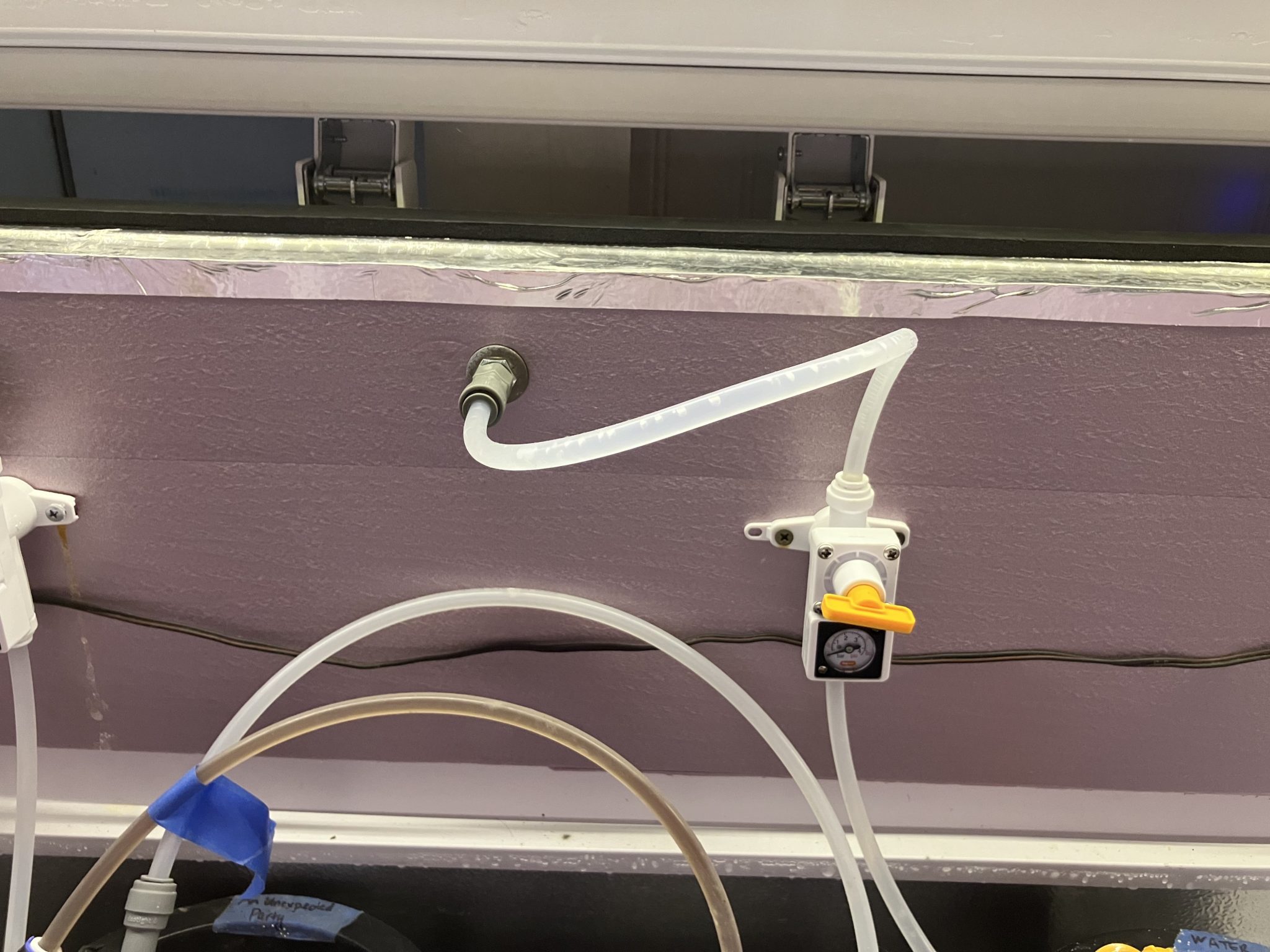
For my water keg, I plumbed in a dedicated water line with another bulkhead. This connects to an ice maker line on the outside, and runs through a regulator on the inside to reduce the water pressure. I’m using a continuous carbonator lid on my water keg, so being able to control both the incoming water pressure and the incoming gas pressure is important for it to function correctly.
The tap were easy to install, just drill through the collar and tighten down. Due to the length of shanks, I actually ended up drilling a larger hole in the insulation, and tightening the taps against the wood itself.
With all these changes, the keezer is now fully functional, but it’s not complete! I still plan to cover the 2×10 boards with trim, probably paint the freezer, expand the number of taps, and add a drip tray. Stay tuned for part 3!
I built a keezer last year when I ran out of room for kegs between the garage fridge and two smaller kegerators. I was previously still using picnic taps except for one proper tap on one of the kegerators, and was itching to up my game for a better beer pouring experience. Plus, I had beer that needed to stay cold! So I shopped around for a freezer that would fit my Corny kegs, and landed on the Kenmore KLFC015MWD, a 14.8 cubit foot garage-ready chest freezer. At this size, with a collar, I can fit a full ten Corny kegs if I need to.
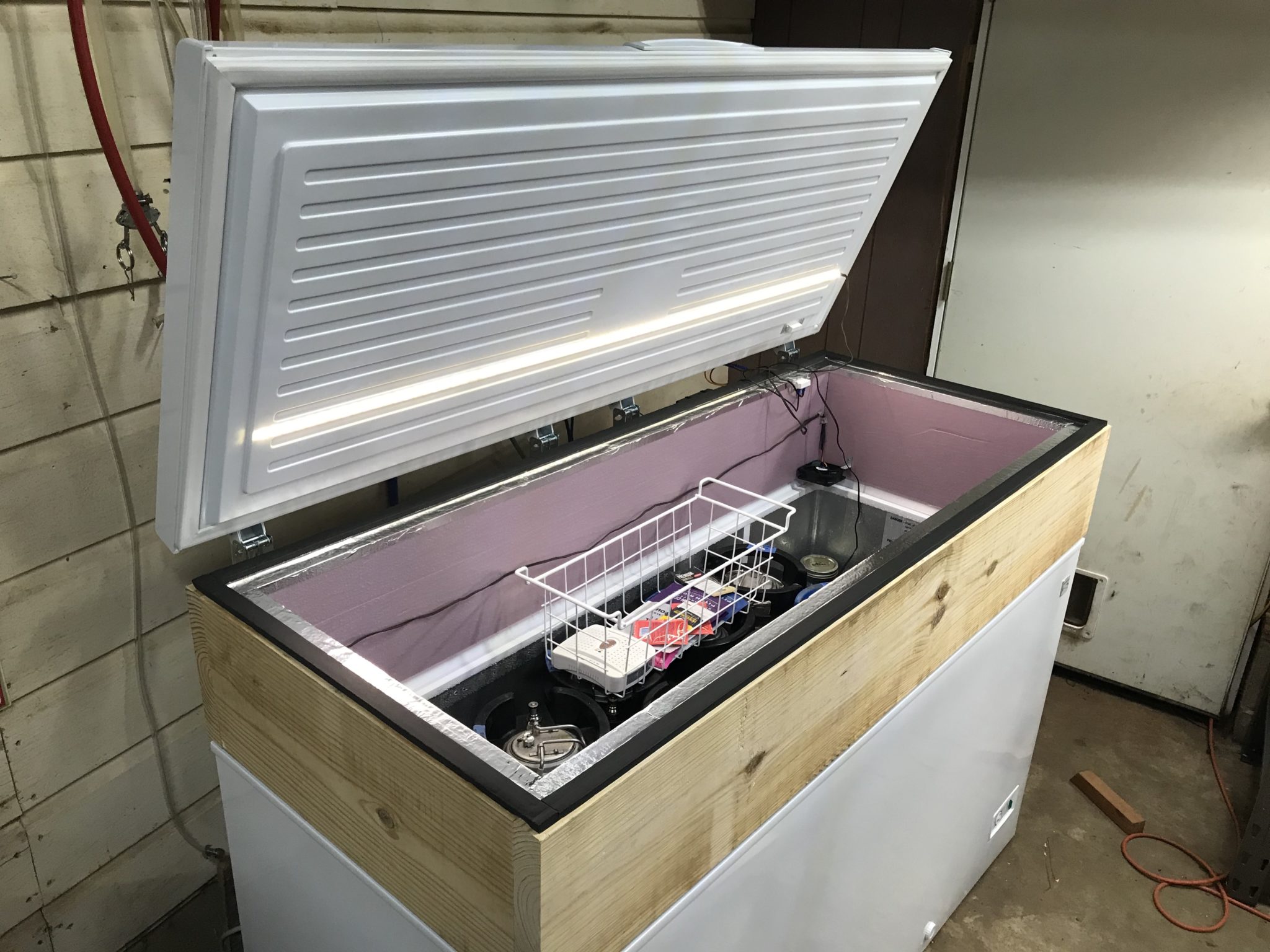
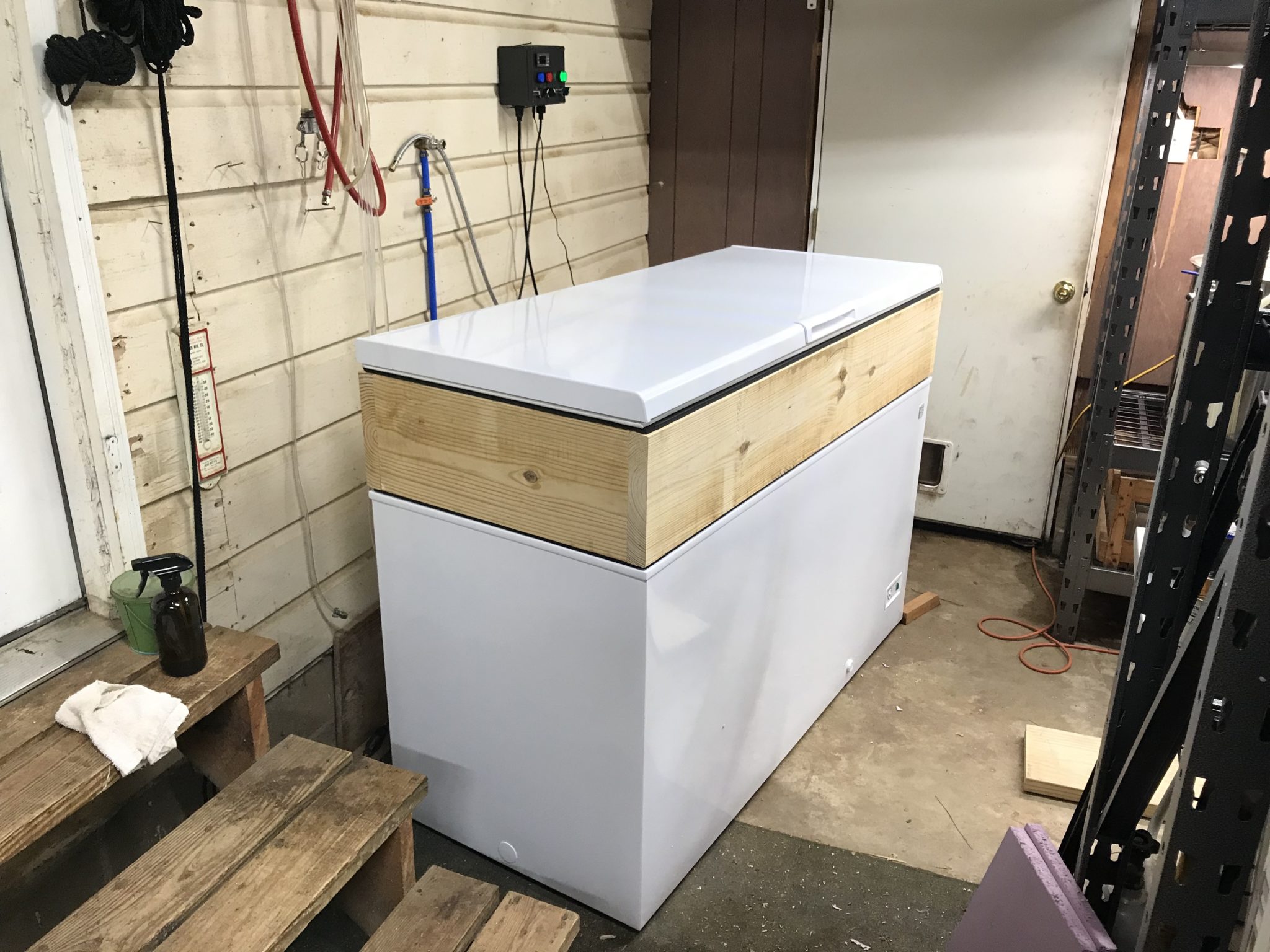
My first priority was to just get the beer in the freezer and keep it cold, so I whipped up a collar out of 2×10 boards. This is a rather tall collar for a keezer, but it means 2 kegs can fit on the compressor hump. I assembled the collar with pocket screws and ran weatherstripping on both the top and the bottom of it. Then I just set the collar in place on the freezer after removing the lid. It’s actually not secured to the freezer directly, just creating a seal with its weight (those 2x10s are not light). I relocated the freezer lid to the collar, and at this point have a fully sealed freezer again.
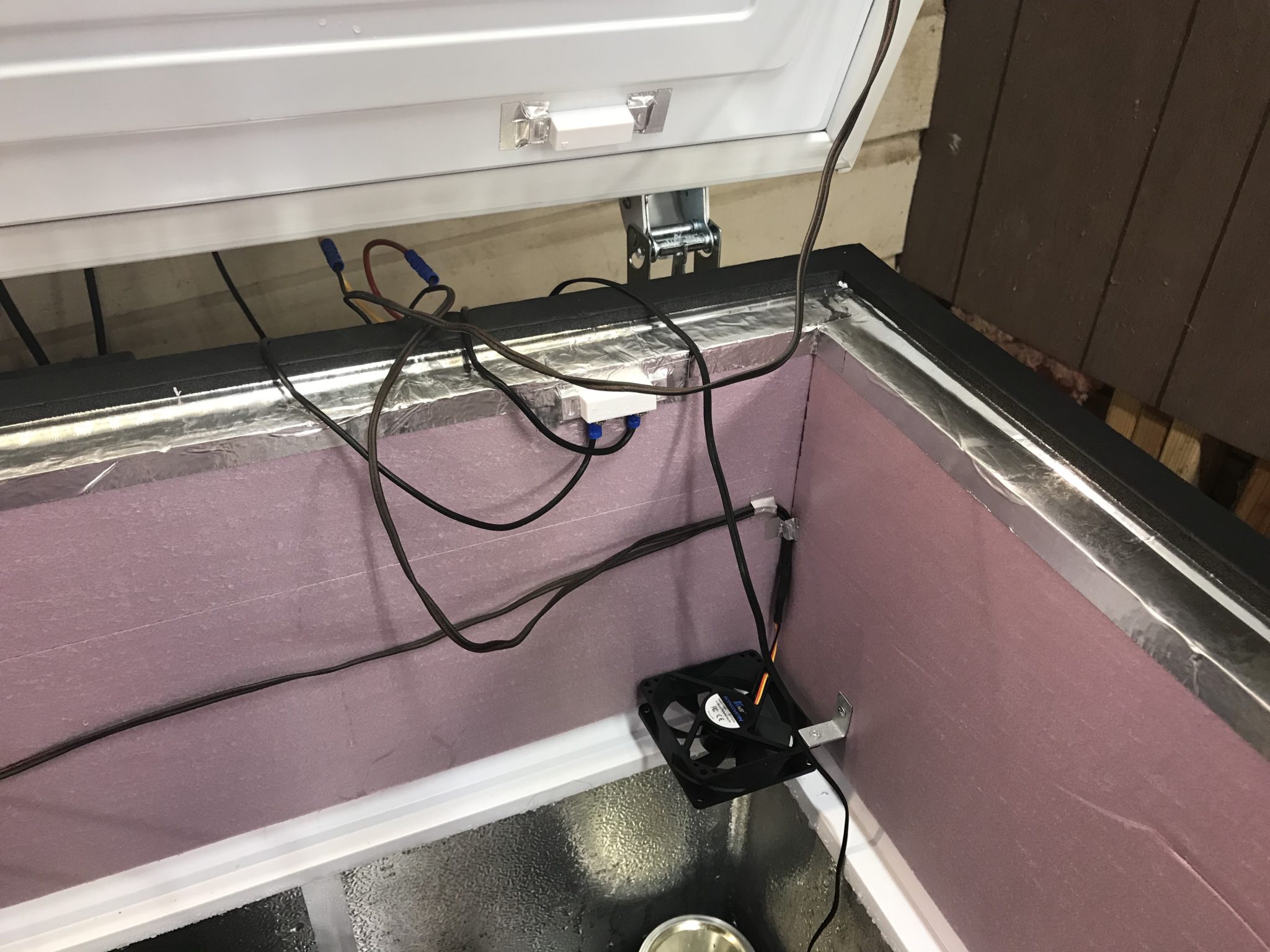
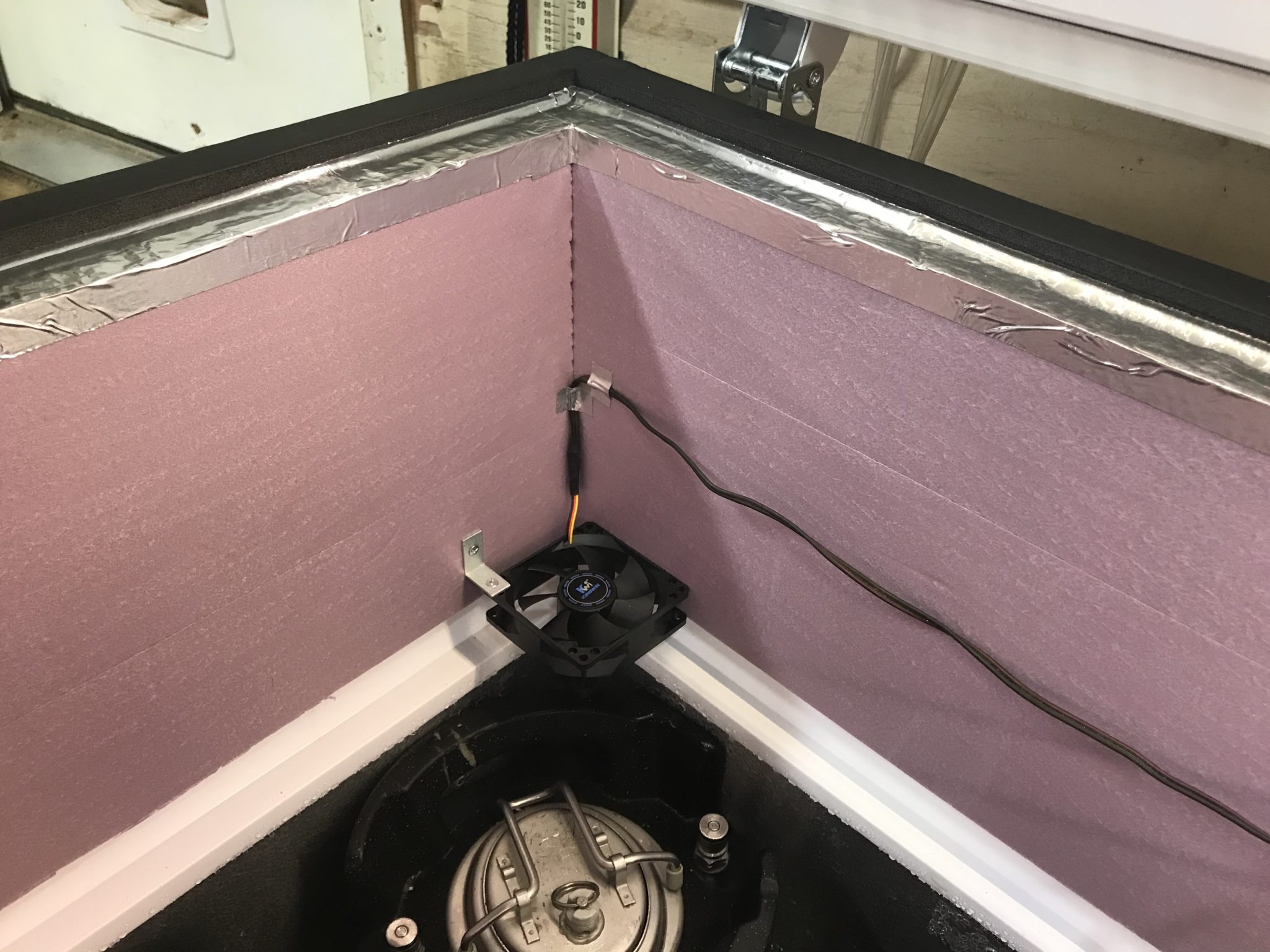
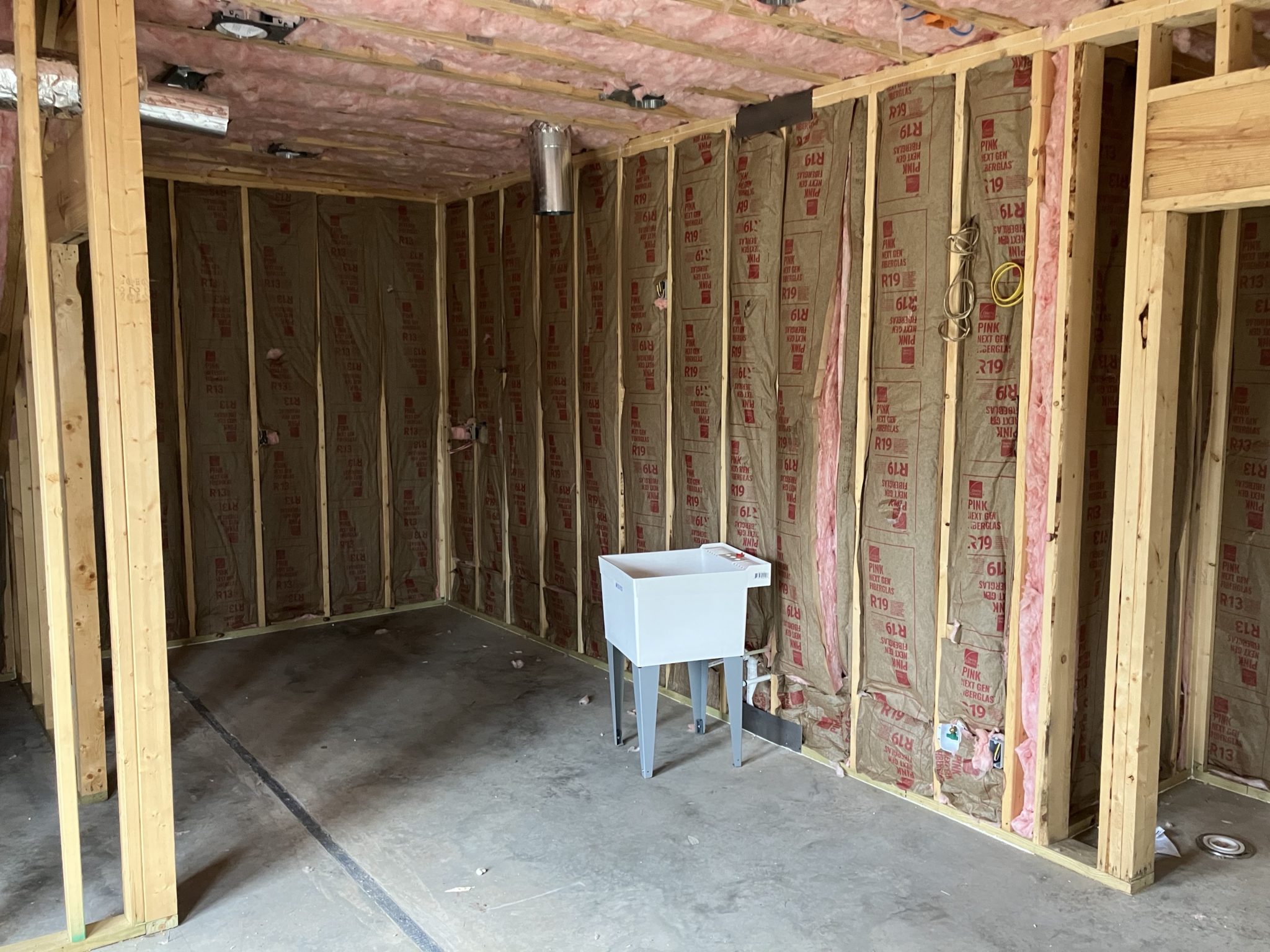
Inside, I ran 1-inch rigid foam insulation around the inside of the collar. It’s temporarily secured with foil tape but will eventually be glued and caulked in place.
There were a few specific features I wanted for the keezer: a light that comes on when I open the lid, fans to recirculate the cold air to avoid stratification, and, of course, temperature control.
For the light, I installed a waterproof LED strip with adhesive backing to the inside of the lid. This is connected to a magnetic reed switch so it turns on when the lid is opened.
For the fans, I used 2 old computer fans that I had on hand, and installed them in the corners of the freezer with angle brackets to draw cold air up from the bottom. These are connected to the same magnetic reed switch, but wired so they are on when the lid is closed, and turn off when it’s opened to avoid blowing all the cold air out of the freezer.
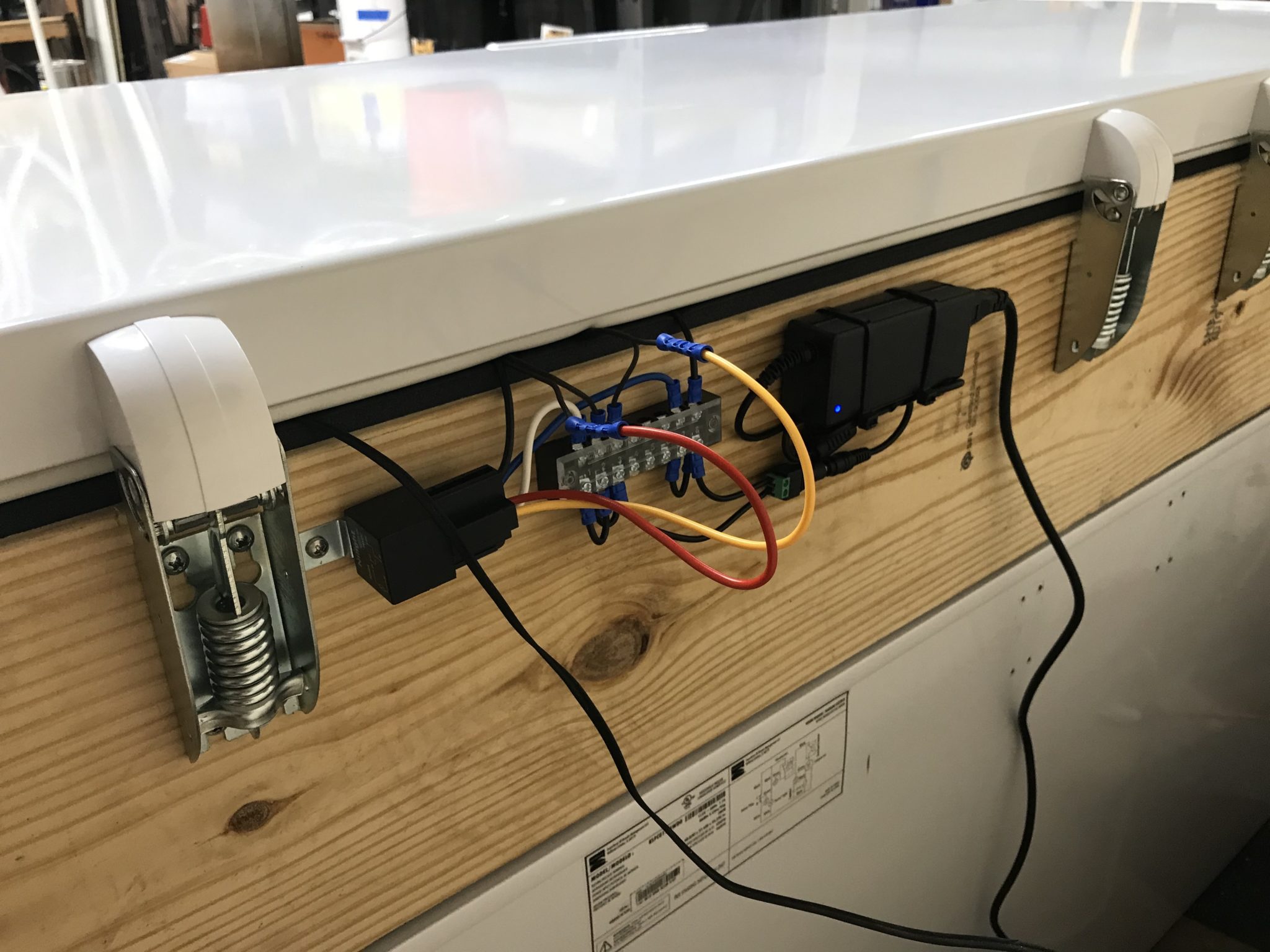
On the back of the collar, I mounted the 12-volt power supply that powers both the LED strip and the computer fans, a terminal block that handles power distribution, and a relay that is wired into the magnetic reed switch for switching power to the LED strip and computer fans.
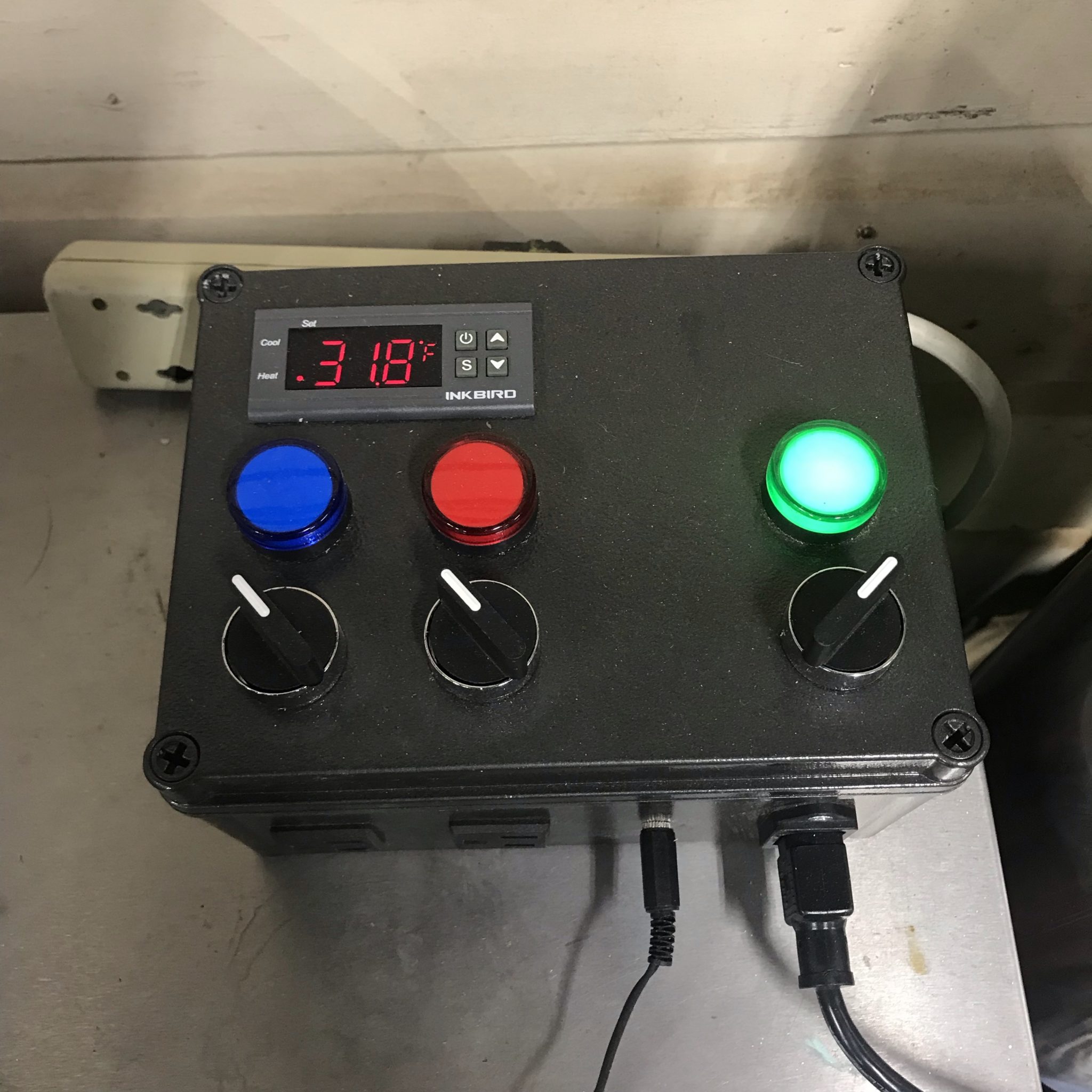
For temperature control, I actually just reused the temperature controller that I had previously built. This was a super easy plug-and-play solution, as all I had to do was plug the freezer into the controller, plug the controller into the wall, and run the temperature probe into the freezer into a jar of Star San.
But this still isn’t a proper keezer without taps! Stay tuned for part 2 to see how I plumbed all the beer lines.
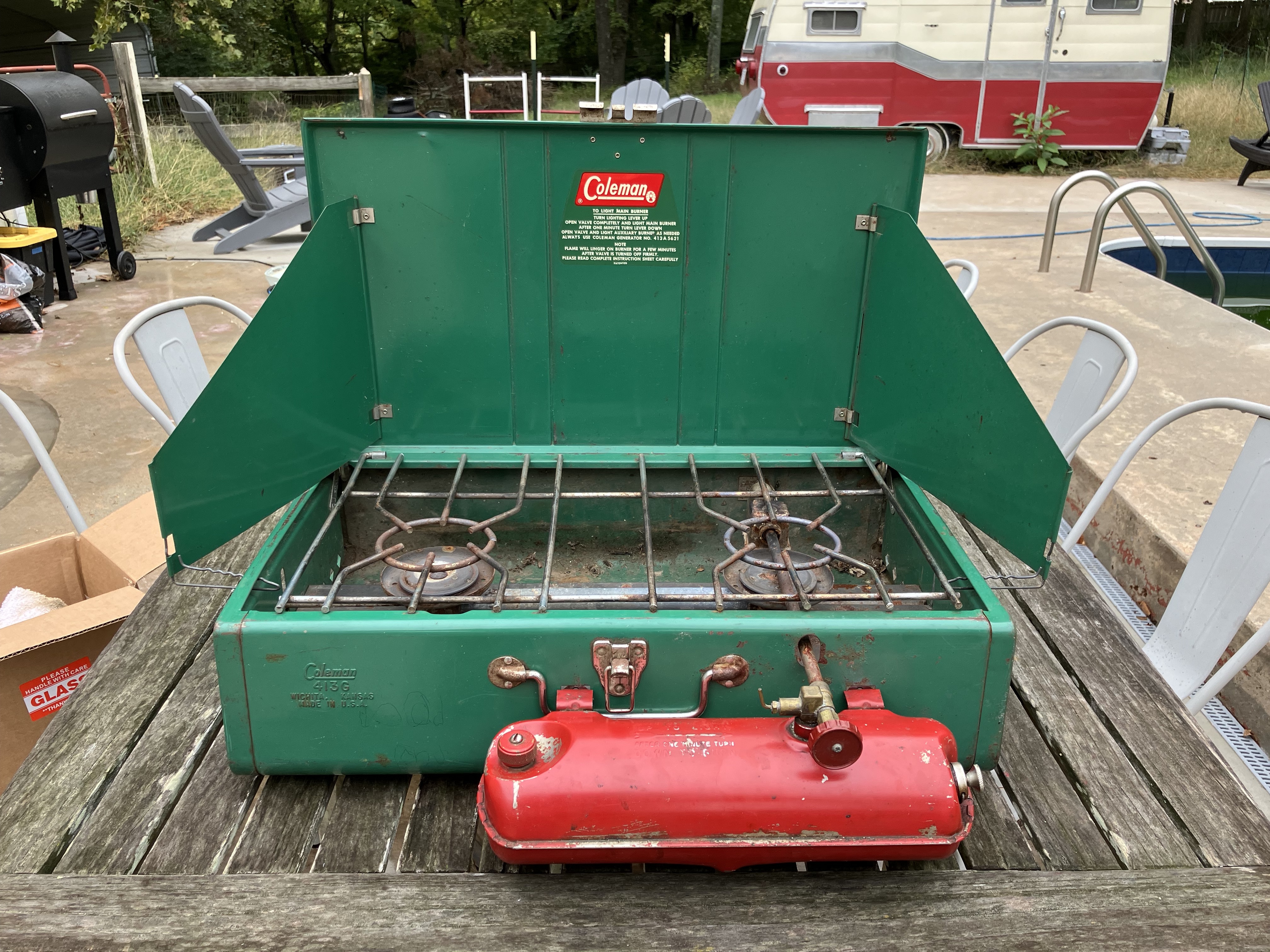
The Coleman 413G camp stove as it was when purchased.
In addition to my Coleman 220J pressure lantern, I also picked up a vintage Coleman 413G camp stove at the same flea market for $25. This is the larger of the two classic Coleman pressure camp stoves—I’d like to get the smaller 425 at some point as well.
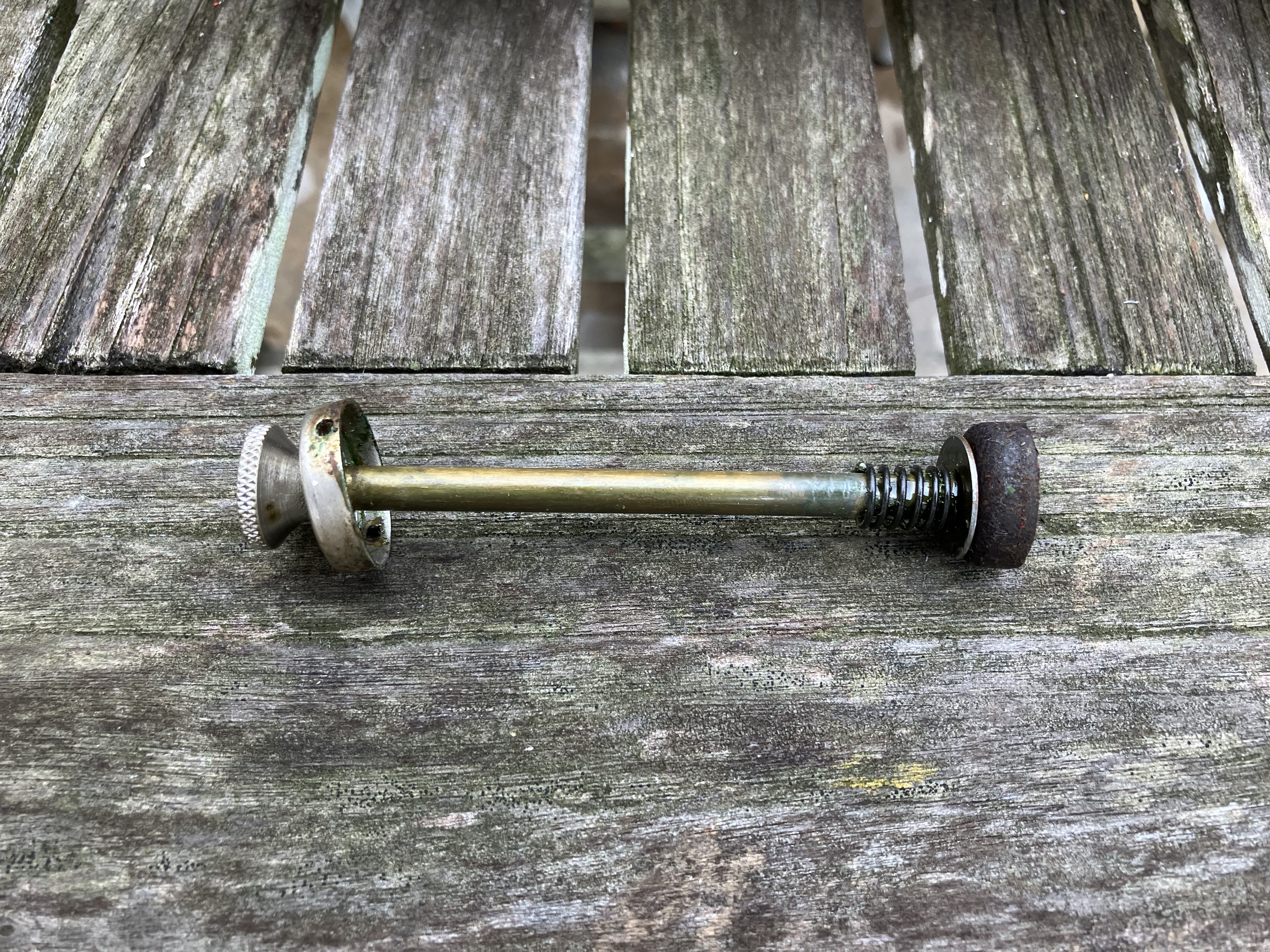
The plunger with the original leather pump cup.
The stove was in pretty decent shape to start with. As with the lantern, I immediately noticed that the pump wasn’t holding pressure and appeared to also have the rubber pump cup, so I ordered a replacement leather pump cup for it as well. However, it turned out that the stove actually already had a leather cup, it was just almost black with oil and age. So, I was able to clean and oil it and bring it back around to building pressure successfully, and now I have a spare on hand in case it fails down the road.
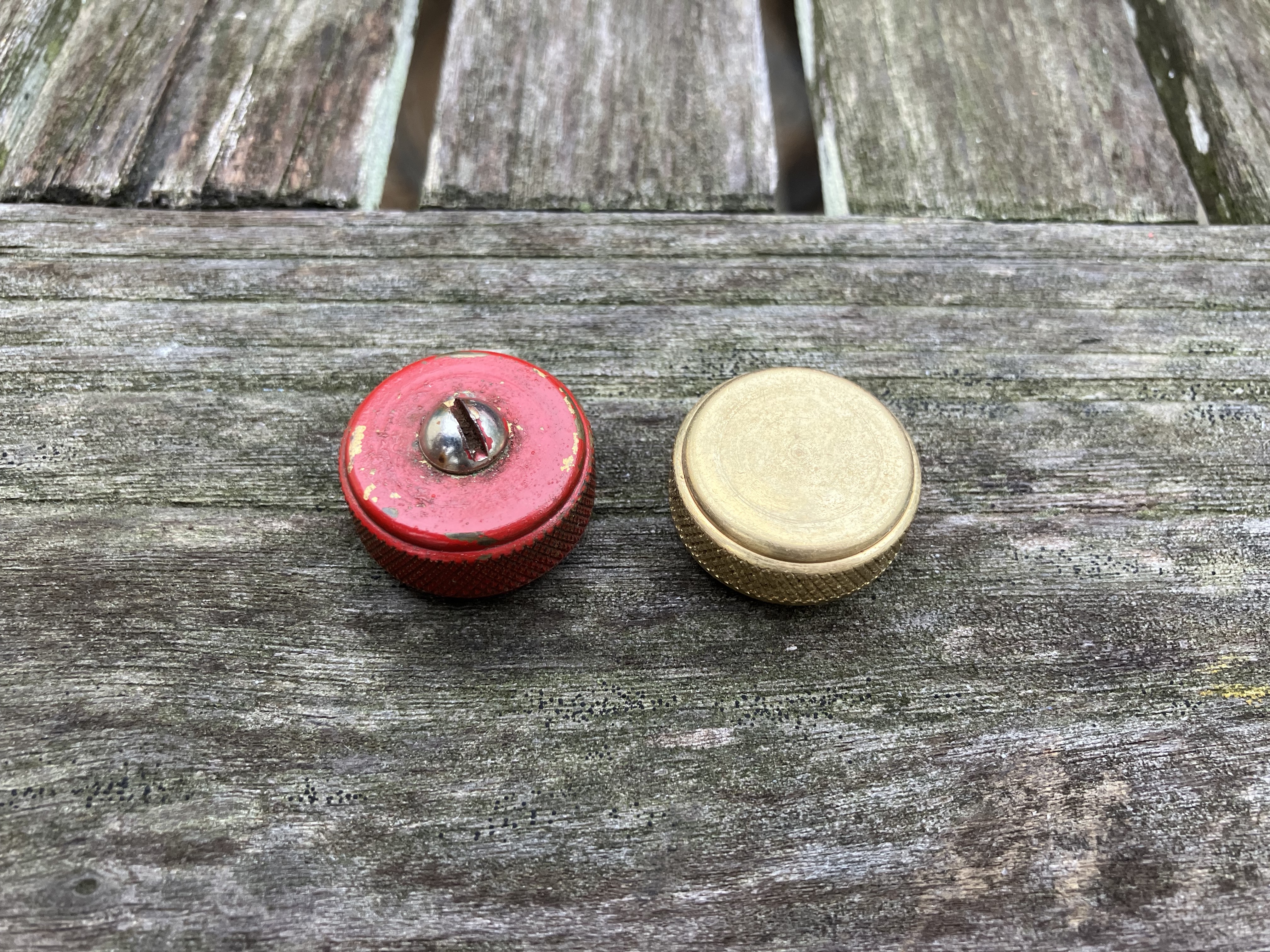
The old 3-piece filler cap alongside the new 1-piece cap.
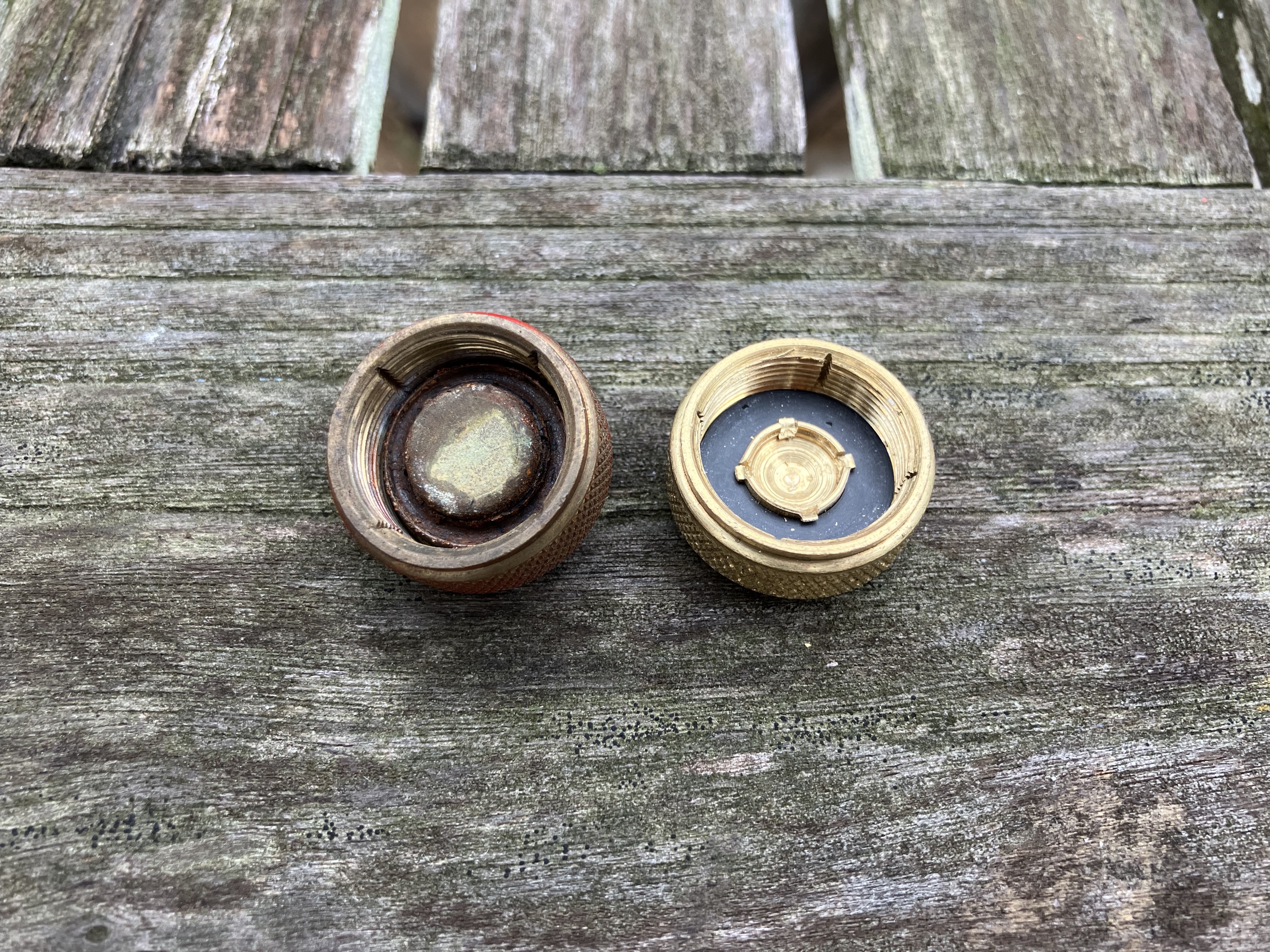
The tank had one of the old 3-piece filler caps (although not one of the notoriously dangerous ones), and I went ahead and replaced it with a new one-piece brass cap just to be safe and ensure it holds pressure.
The underside of the old 3-piece filler cap with rust and worn-out gasket versus the new 1-piece cap.
I gave the whole stove a good wipe-down, then cleaned up the exposed metal parts with a wire brush and steel wool and applied Ballistol to keep them rust-free.
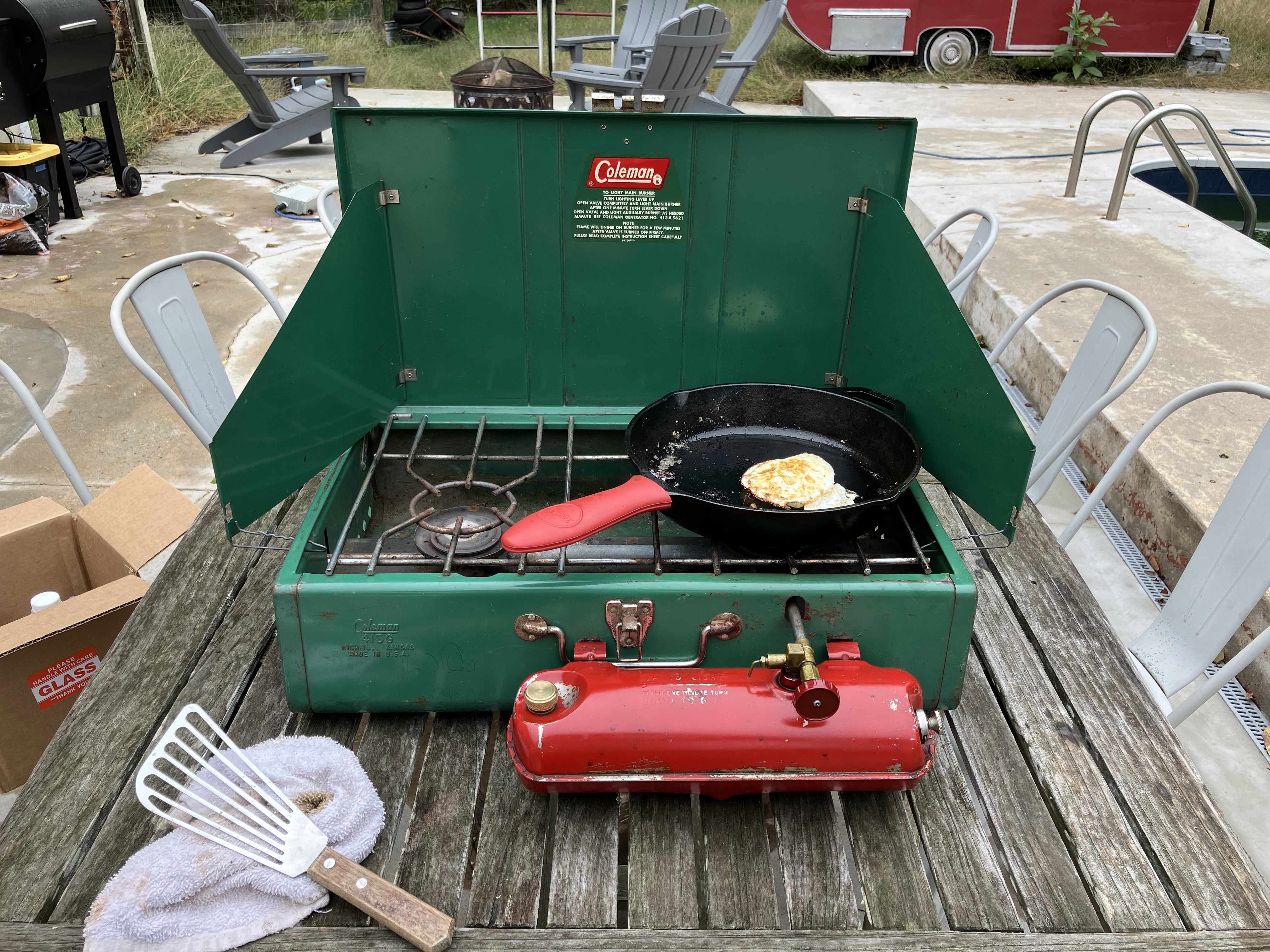
Putting the Coleman 413G camp stove to work!
With some fresh fuel in the tank, it was time for a test firing. The stove lit up right away, and after re-pumping the tank, I was able to get a nice, blue, almost invisible flame on both the main and secondary burners. This larger stove model will fit 2 12″ cast iron pans on it, which should work out really well for family camping trips. It fried an egg easily: success!
I recently picked up a vintage Coleman 200J lantern at a flea market for $20. I had been looking for some vintage camping gear for a few weeks and this was exactly what I wanted. My goal is replace some of my more modern camping gear with older equipment that, while perhaps a bit bulkier, is more reliable and rebuildable and will ultimately last a lot longer.
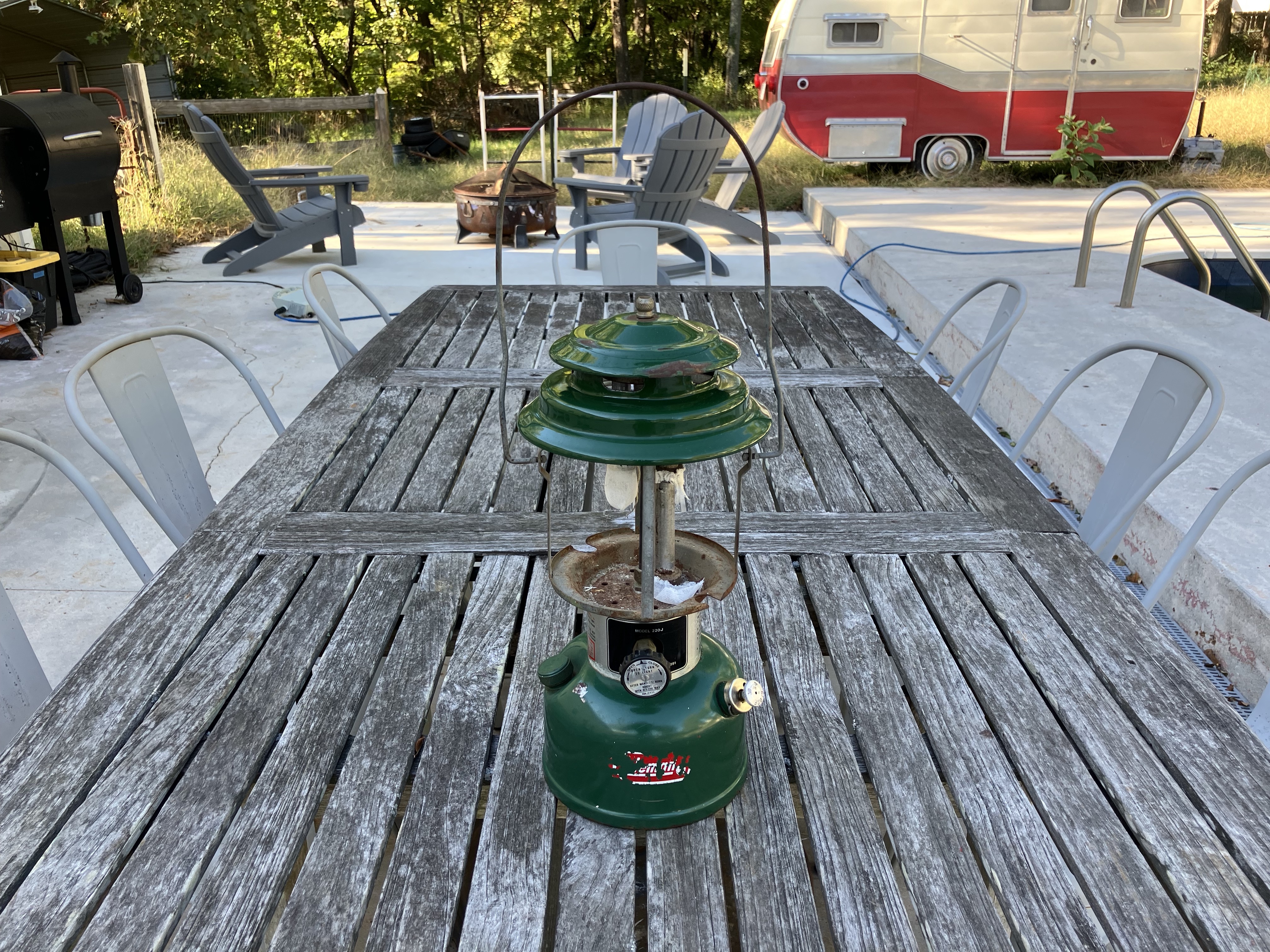
The 220J lantern with missing glass and old mantles.
The lantern is a Coleman model 220J manufactured in November 1976. It has a dent on the side near the bottom and the paint is chipping off in places, but it’s otherwise in pretty decent shape with all the parts. Unfortunately, as soon as I got it home and started to clean it, I dropped the glass globe and it shattered. That’s the first thing I added to the list of parts to buy, and, thankfully, Old Coleman Parts has replacement original globes with the same red logo on them.
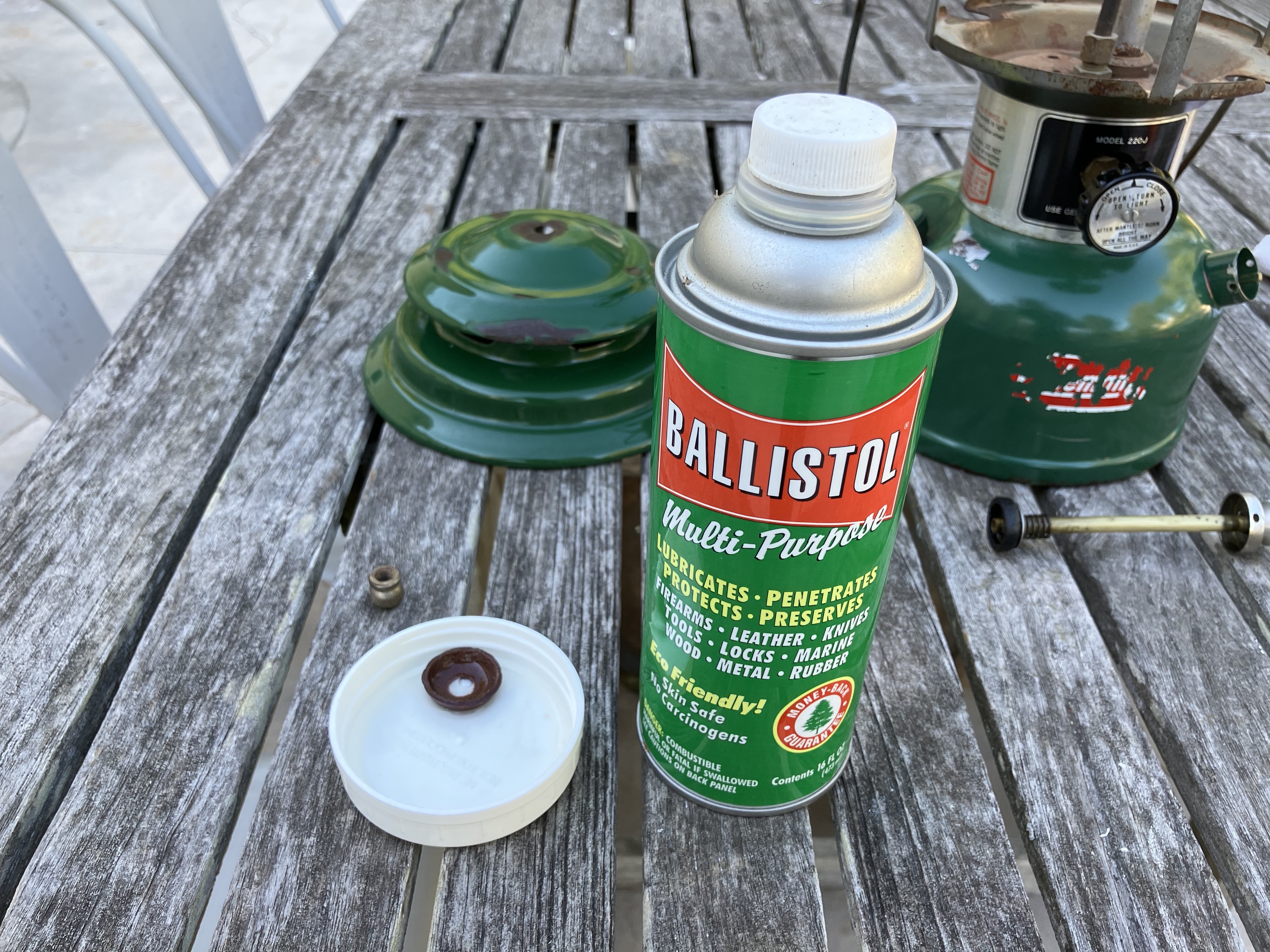
Soaking the new leather pump cup in Ballistol. The plunger with the old rubber pump cup can be seen in the background on the left.
The second part I bought was a leather pump cup. I had noticed at the flea market that the pump didn’t build pressure, and when I pulled the plunger out, I confirmed it was one of the rubber pump cups that deteriorate over time. The leather pump cups, from what I’ve read, last much longer and just need to be oiled occasionally to stay in good shape. To break in the new leather pump cup, I soaked it in Ballistol to lubricate it and make it more pliable.
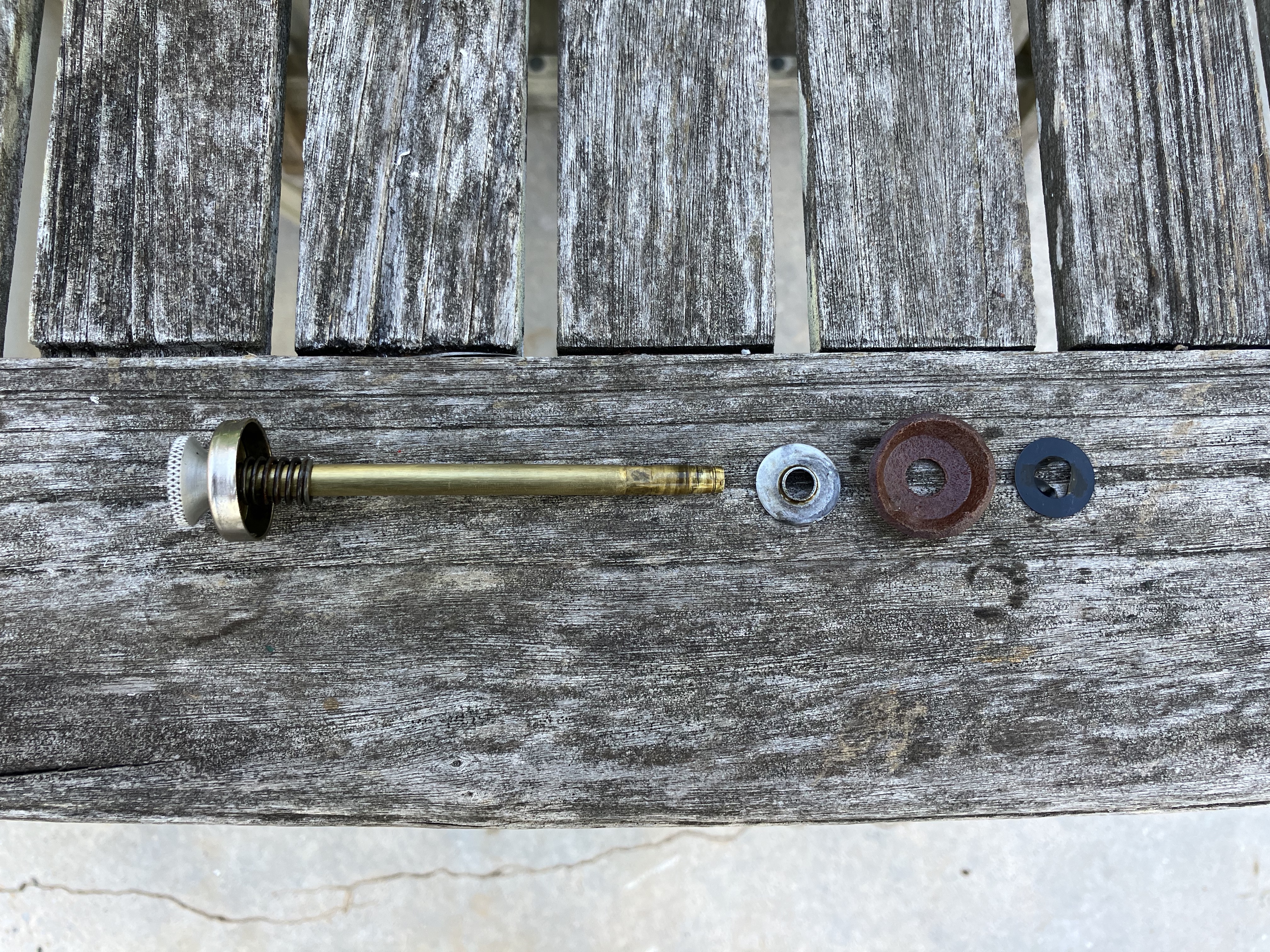
Plunger assembly with old backing plate and new leather pump cup and clip.
Then I disassembled the plunger and, after some trial and error, found that the old backing plate worked with the new leather pump cup and new clip. The leather pump cup comes with a new backing plate too, but maybe it doesn’t work with all models.
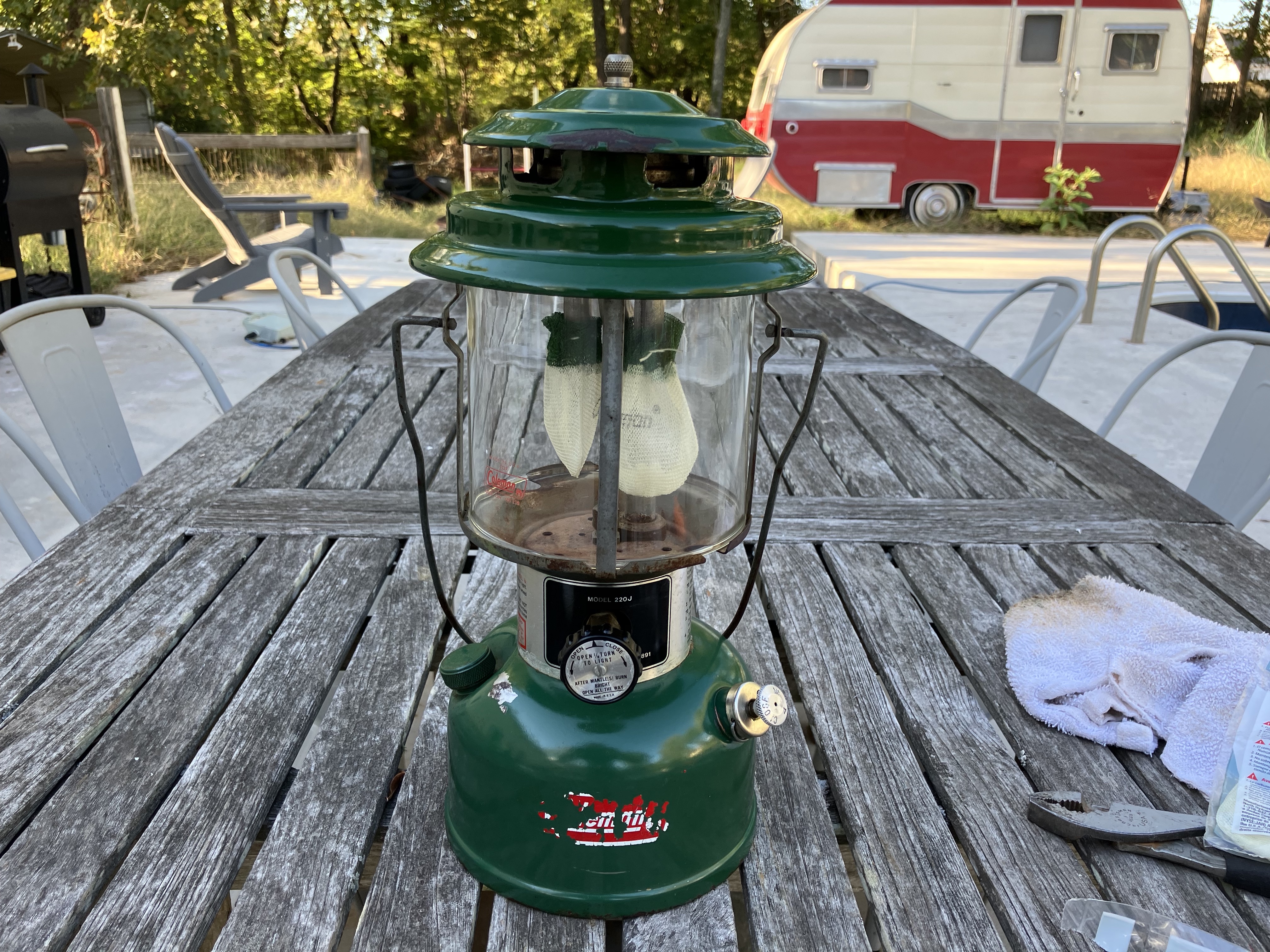
The 220J lantern with mantles and a new globe.
I gave everything a good wipe down, lightly scrubbing at rust with steel wool and a wire brush, and coating any exposed metal with Ballistol to protect it. Then I put on new mantles, carefully installed the new globe, and put the hat back on.
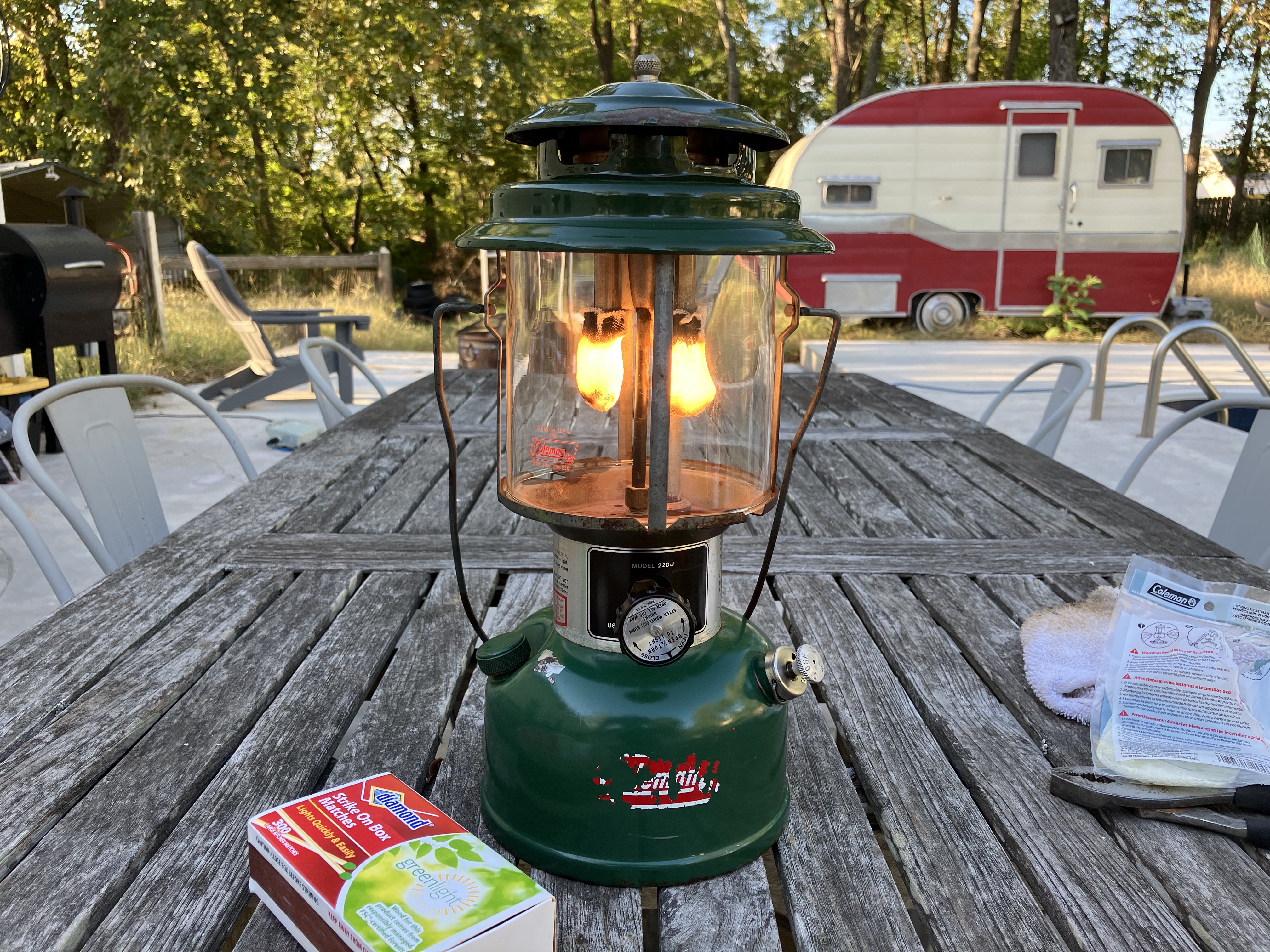
The new mantles warming up on the Coleman 220J lantern.
Following the instructions printed on the lantern body, I pumped up the tank, which successfully built pressure with the new pump cup, and lit the lantern, which started right up! Once the new mantles were fully ignited, it glowed nice and bright and put off a pleasant warmth. It’s hard to beat a classic Coleman lantern.
P.S. Another great resource for learning about and restoring these old pressure lanterns and other Coleman gear is Old Town Coleman. They have user manuals, parts diagrams, and lots of other useful information.
Being able to rinse out glasses at a homebrew event is a big deal. Not only does it mean that your beer will be showcased in its purest form, but drinkers also appreciate getting their sample glasses cleaned out. It elevates the whole experience. So, naturally, as I was preparing to bring some beer to my next homebrew event, I wanted an elegant solution for rinsing glasses—something better than a pitcher of water or a spray bottle. After scouring the Internet for ideas (and not finding many), I settled on this clever bucket idea for a portable glass rinser. The basic concept is to use a 5 gallon keg of water to rinse glasses, with the waste water flowing into a 5 gallon bucket: a self-contained system.
Parts
To build this portable glass rinser, I used the following parts:
I already had a spare ball lock disconnect, so I didn’t need to purchase one for this project. The rest of the parts cost the following for me at the time of purchase, not including tax or shipping:
$4.98 for the bucket
$2.28 for the bucket lid
$8.99 for the glass rinser
$11.34 for the ice maker supply line
$8.88 for the 1/2″ FIP x 1/4″ compression adapter
$3.88 for the 1/4″ compression x 1/4″ FFL adapter
$5.99 for the ball lock disconnect (if needed)
Grand total: $46.34
Build
This build was pretty quick and straightforward. Besides assembly, the only real “build” part is modifying the Lowe’s bucket lid. After placing the glass rinser base on top of the lid to determine where to mount it, I drilled a 7/8″ hole for the glass rinser shank. Then I drilled a 5/8″ hole for the ice maker supply line to pass through. Finally, I cut out a circle in the center of the lid for the lip of the glass rinser to rest and drain into the bucket.
Holes drilled and cut in the bucket lid
After that, it was just assembly: installing the 1/2″ FIP x 1/4″ compression adapter onto the glass rinser shank, the ice maker supply line onto the adapter, the 1/4″ compression x 1/4″ female flare adapter onto the ice maker supply line, and a ball lock liquid out disconnect onto the flare adapter.
1/2″ FIP x 1/4″ compression adapter and ice maker supply line installed on the glass rinser shank
Finally, the supply line was fed through the smallest hole in the lid, and the lid installed onto the bucket.
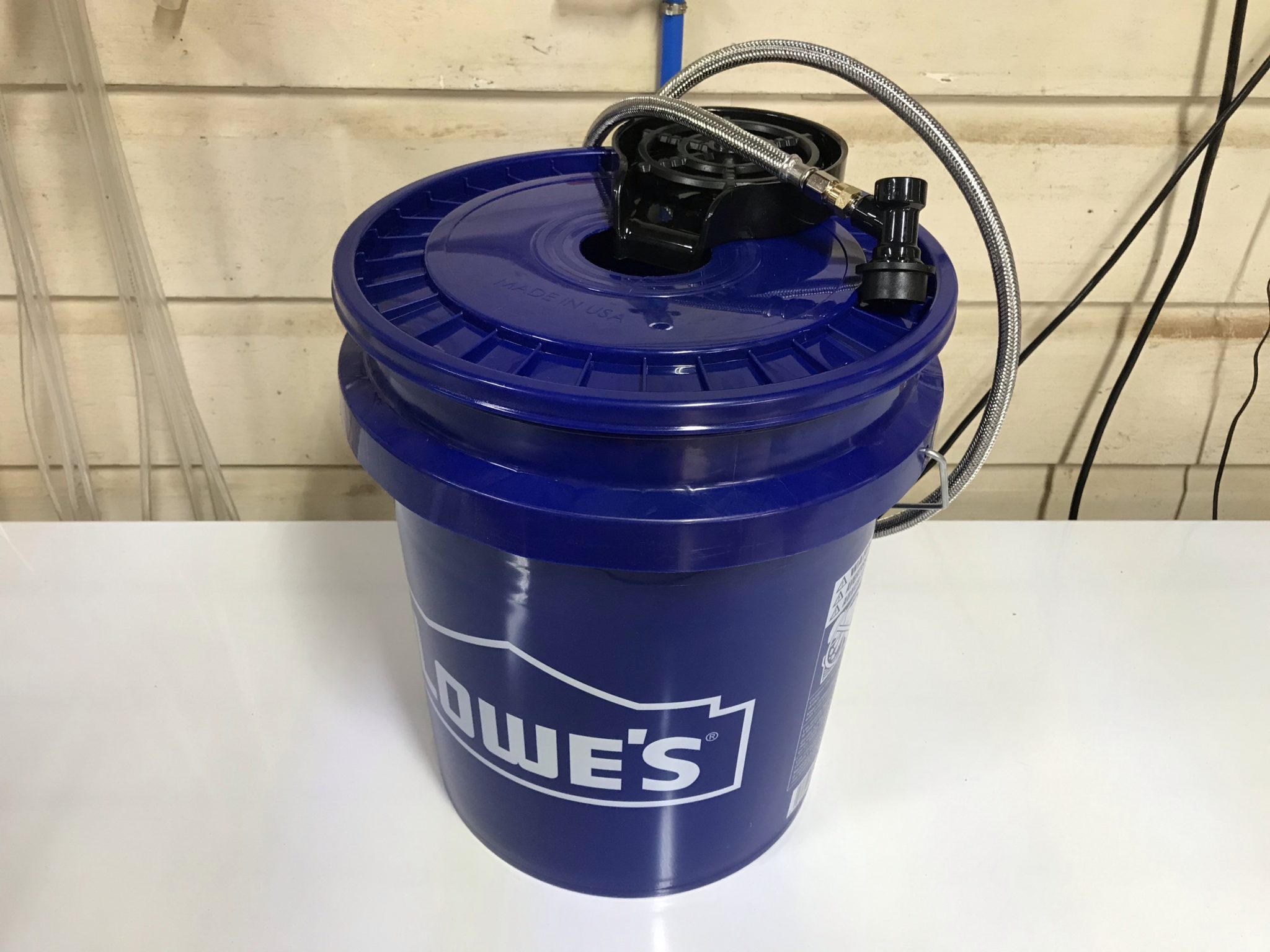
The fully assembled portable glass rinser
To use it, simply attach the liquid out disconnect to a Corny keg full of water, and use 10-15 psi of CO2 to push water to the glass rinser. The water doesn’t need to be kept as cold as beer for rinsing, so the whole setup can be easily toted around as needed without the need for a jockey box, ice, or even a table. May your patrons enjoy clean glasses at your next event!
Testing the portable glass rinser using the water keg in my keezer
After moving a few years ago and selling my fermentation chamber, I’ve been without proper temperature control for my beers. I’ve been fermenting them in the house—typically in the bathroom, which stays a bit warmer than the rest of the house. When the “shower beer” situation peaked at 25 gallons of beer, I realized I need to solve this problem sooner than later: I needed a way to ferment in the garage and control temperature. Time to build a DIY glycol chiller!
Too much shower beer!
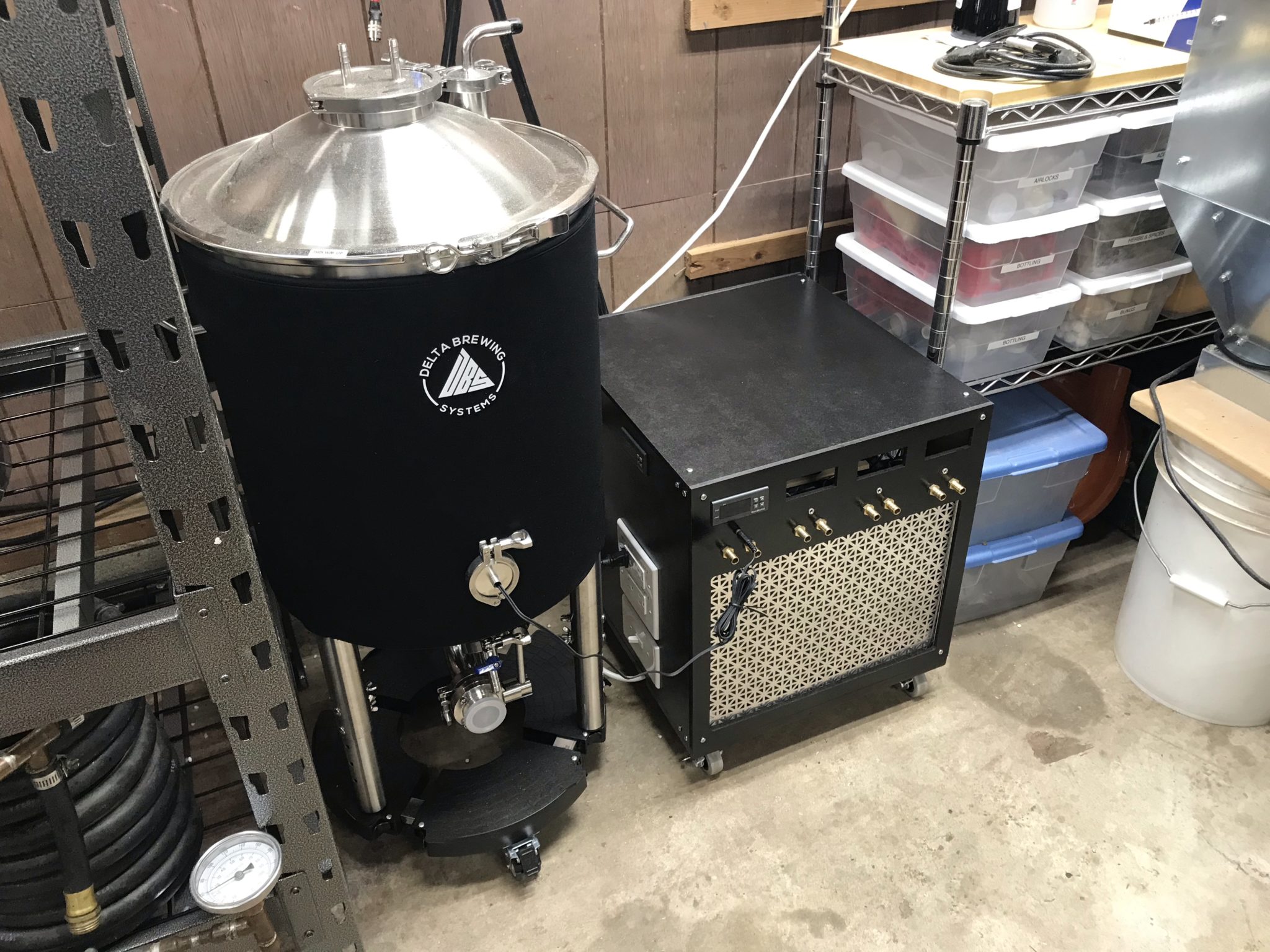
Whereas I had previously built a fermentation chamber to control temperature via heating and cooling the air, this time, I decided to step up my game and move into glycol chilling. This would require fermentors capable of supporting a chilling coil, as well as the glycol chiller and circulation system. After some research, I settled on the Delta FermTank 14 gallon fermentor.
For the chiller, I stuck to my guns and went the DIY glycol chiller route using a window A/C unit and a cooler. But not wanting to be outdone, I over-engineered this thing to be more compact than the other DIY solutions I’d seen.
Parts
Midea 5000 BTU mechanical window air conditioner (Walmart)
The first step was to cannibalize the A/C unit. I set the temperature and mode to maximum cooling capacity, then removed the knobs and exterior case.
The A/C with front panel removedThe A/C with enclosure and evaporator fan removed
Then I went about slowly and carefully realigning the evaporator coil to fit into the cooler.
The scariest part of this whole build: reorienting the evaporator coil
Bypassing the thermostat
To make the A/C run whenever the temperature controller told it to, I had to bypass the built-in thermostat. I did this by folding up the probe inside the wiring enclosure, then wiring the two leads from the thermostat control to each other, bypassing the control completely. The thermostat could be removed completely, but since it wouldn’t save me any space in the overall build, I left it where it was.
The bypassed thermostat
Closing the gap
I used a hacksaw to remove the excess shaft coming from the fan motor to save space. I also made several modifications to the metal base plate of the A/C unit to facilitate placement of the cooler. If I were to do this again, I might just remove the base plate entirely and make my own mounts for the compressor, fan, and wiring enclosure.
The shortened fan motor shaftModifying the base plate with a hacksaw
To fit the cooler as close as possible, I also modified the wiring enclosure so the start capacitor could be reoriented 90º. This took a bit of cutting with tin snips and adding screw holes, but wasn’t too difficult.
The rotated A/C capacitor
I shopped around for the smallest cooler I could find that would fit the coil. This would minimize both the amount of glycol needed and the chilling time. With the modifications to the A/C base plate, wiring enclosure, and fan motor shaft, I was able to snug the cooler up very closely in the A/C footprint.
A test fit of the cooler with preliminary wiring mockup
Wiring the chiller
The wiring for this DIY glycol chiller was a bit of an evolution. I wanted to keep it as flexible as possible while using easy-to-get components. I initially started out with house wiring components, but ended up using a combination of house wiring and stranded project wiring. To handle the majority of the wiring within the enclosure, I bought a spool of 14-gauge stranded wire and several terminal blocks.
The end result is a chiller with a light switch as the main power switch, standard outlets for powering external heaters for each fermentor, and internal terminal block wiring for running the A/C unit, glycol circulation pump, exhaust fan, and each fermentor’s pump, as well as all the temperature controllers.
For components like the circulation pump that had standard power cords, I trimmed the plug off and crimped on spade terminals to connect them directly to the terminal blocks. For components like each fermentor’s glycol pump that have a wall wart, I modified cheap extension cords in a similar manner, so the power adapter plugs into the extension cord, and the extension cord is wired directly to the terminal block.
The terminal block wiring and modified power cords
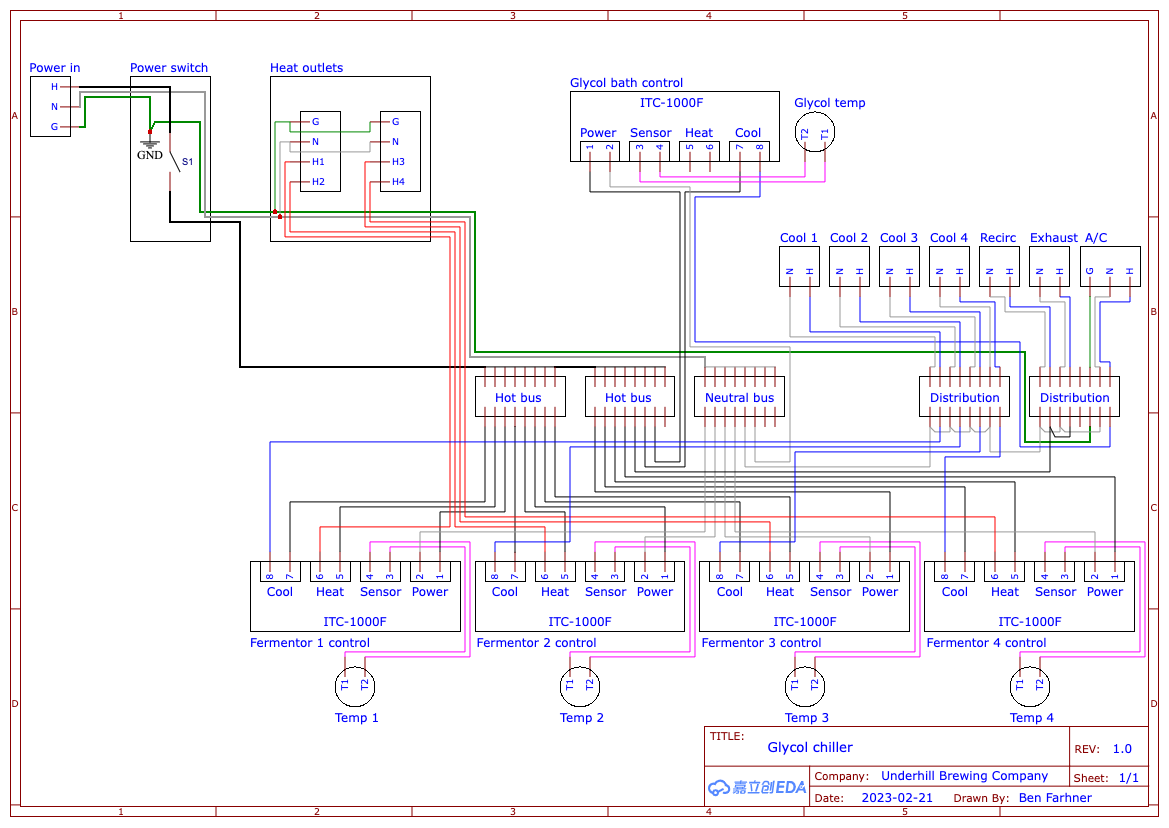
This is the final wiring diagram I arrived at after a few iterations and simplifying things as much as possible:
The final wiring diagram
Building the Enclosure
I originally started building the enclosure from 3/4″ plywood that I had on hand, but quickly realized I needed something thinner to be able to panel-mount the components. I also wanted something that could be more easily removed for service. In the end, I used fiberboard panels mounted to aluminum angle brackets on a plywood base.
Original plywood enclosureNew and improved fiberboard enclosure on casters
I designed the chiller to be able to support a total of 4 fermentors. I only have 1 right now, so I haven’t verified that it’ll work at that capacity, but as I expand I’ll be able to test it out. If it can’t handle 4 a time, I could modify the build and enclosure as necessary.
Since the temperature controllers support both heating and cooling, I designed this system with outlets for heaters. Each outlet is controlled separately, so each fermentor’s heating jacket can be plugged in constantly and only receive power when it needs to raise the temperature.
The side of the chiller, featuring the power switch, heating outlets, and glycol bath temperature control
With the initial assembly of the enclosure, I realized there wasn’t enough airflow inside when the A/C was running. In fact, this led to the A/C fan motor overheating and melting its plastic mount! Fortunately, I was able to salvage it without any major impact to function. To solve the airflow issue, I added an exhaust fan that runs constantly, even with the A/C off. I also added a vent hole in the bottom of the enclosure to allow fresh air in.
The exhaust fan for ventilation inside the glycol chiller
Now that I no longer have my fermentation chamber, I needed a new temperature controller to control a fridge for fermentation or serving.
I wanted something that would match my brewery control panel, so I went a little above and beyond on this build, but I’m really happy with the results.
Completed temperature controller, monitoring fridge temperature
(1) Panel mount 1/8″ (3.5 mm) TS or TRS jack (Amazon)
14 ga wire
Build
First, I prepped the project box by drilling holes for the 22 mm indicators and switches using a 7/8″ Forstner bit. The hole for the 1/8″ jack was drilled with a 1/4″ Forstner bit.
For the square holes, I found the easiest way was the drill a hole in the corner, saw from the holes to the other corners with a hacksaw, then score the sides and bend them in the break them out. I cleaned up the edges with a utility knife.
Once all the mounting holes were cut, I did a test fit to make sure it all fit correctly.
Then I removed everything, scuffed up the project box with some 150 grit sandpaper, and spray painted it with the same Rustoleum black hammered finish paint that I used for the brewery control panel.
Wiring
I used 14 ga house wiring for everything inside the box except the sensor wires, for which I used smaller 18 ga wires that I had left over from a ceiling fan.
I used wire nuts for all the junctions but it would look a lot cleaner with terminal blocks instead, so I’ll probably do that for version 2.0.
Wiring diagram
I put together this wiring diagram to make assembly easier. It’s pretty straightforward if you’ve ever wired up an ITC-1000 or STC-1000 controller before.
Final Product
I put some industrial strength Velcro on the back to secure it to my beer fridge and ran the temperature probe to a jar of water inside the fridge. For now, it just monitors the temperature of the fridge as the fridge itself maintains serving temperature pretty well, but ultimately, I’ll be using this to control a fridge or freezer for fermentation.
For Christmas 2021, I was gifted an inclinometer to install in my 4Runner. It was an inexpensive model from Amazon, and in true fashion, I couldn’t help but disassemble it and make it my own. I made a few changes, starting with how it mounts.
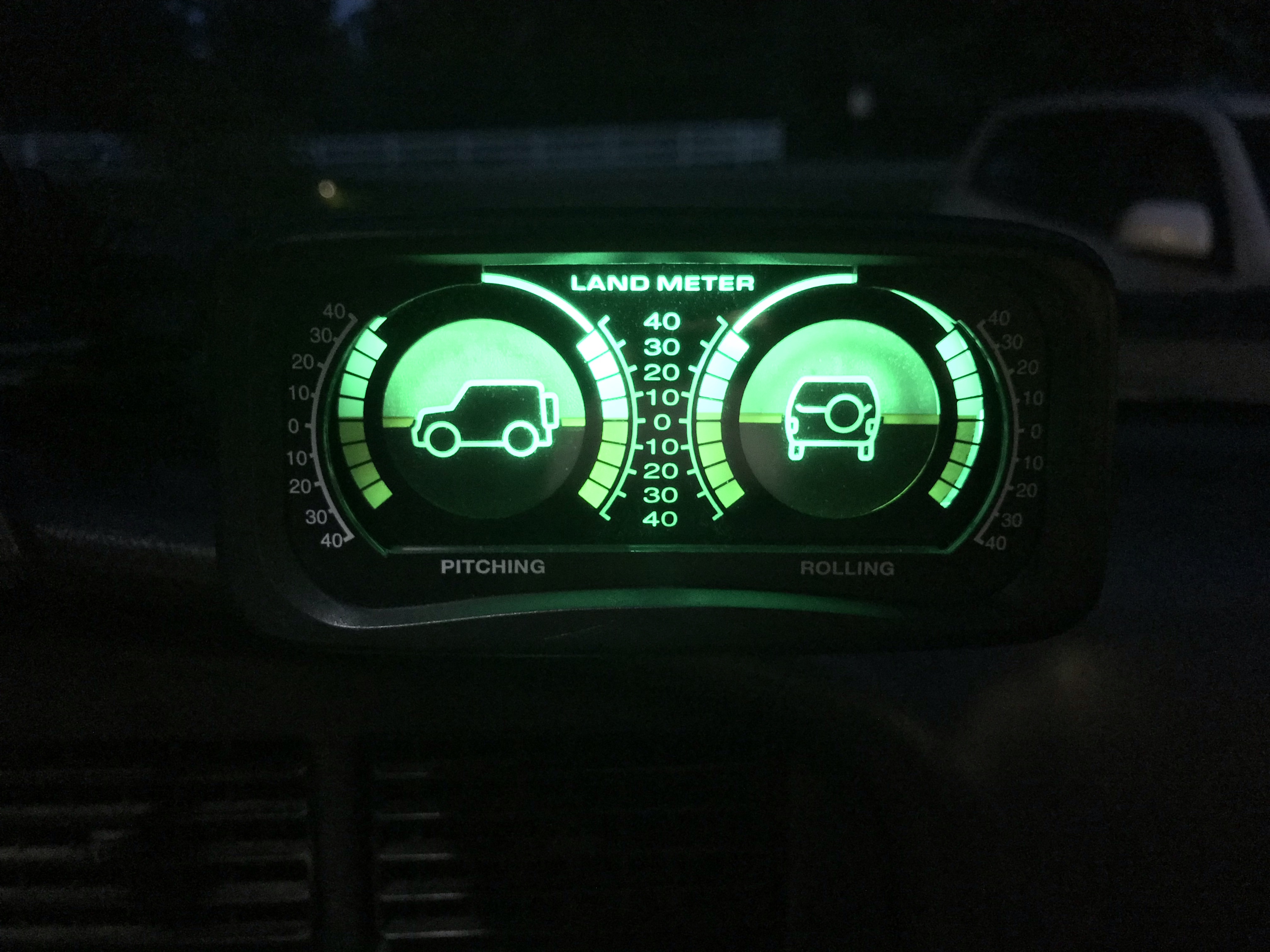
The inclinometer, modded and mountedThe inclinometer at night, matching the rest of the green LED dash lights
Custom Mount
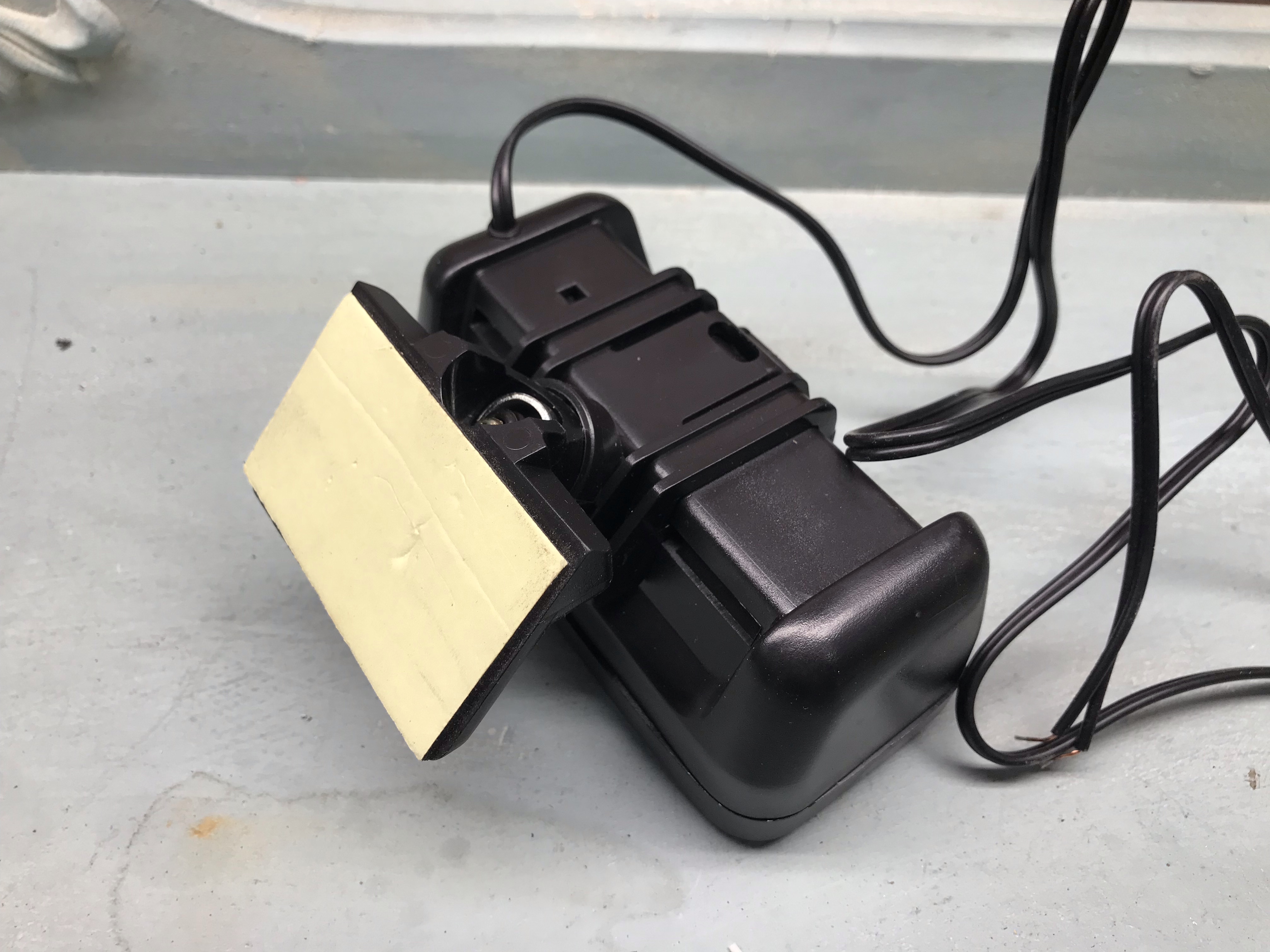
The inclinometer came with a flat mounting plate with an adhesive backing, but the dashboard in my ’92 4Runner doesn’t have a nice flat spot that would work where I could see it from the driver seat. Since I was in the process of installing some RAM Mount tracks, I decided to convert the inclinometer to work with the RAM Mount system instead.
The original flat mounting plate
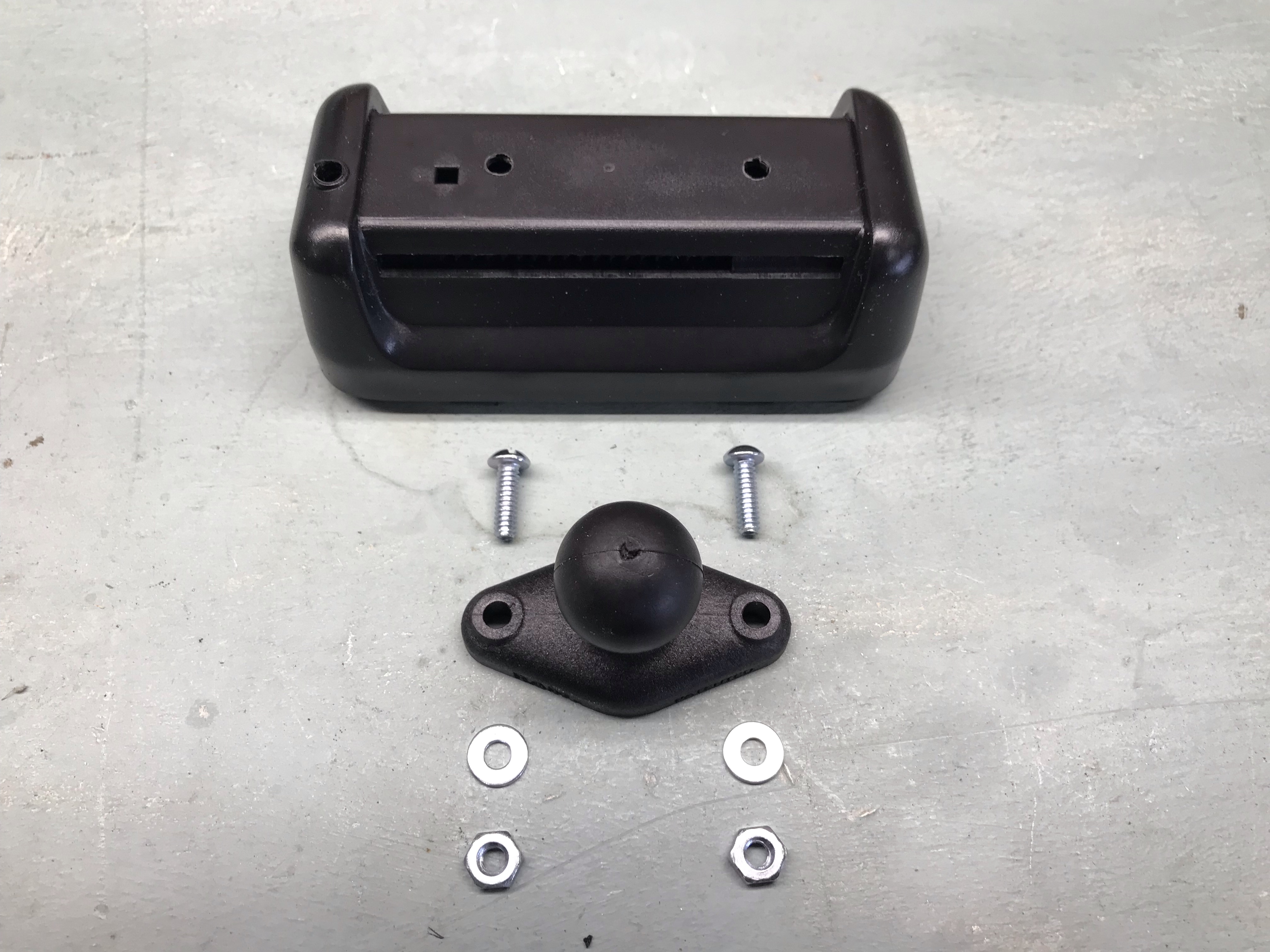
Thankfully, the original mounting plate just snaps off the back, leaving a nice flat surface to work with. Using the RAM base as a template, I marked and drilled 2 holes for the screws.
Holes drilled and parts laid out
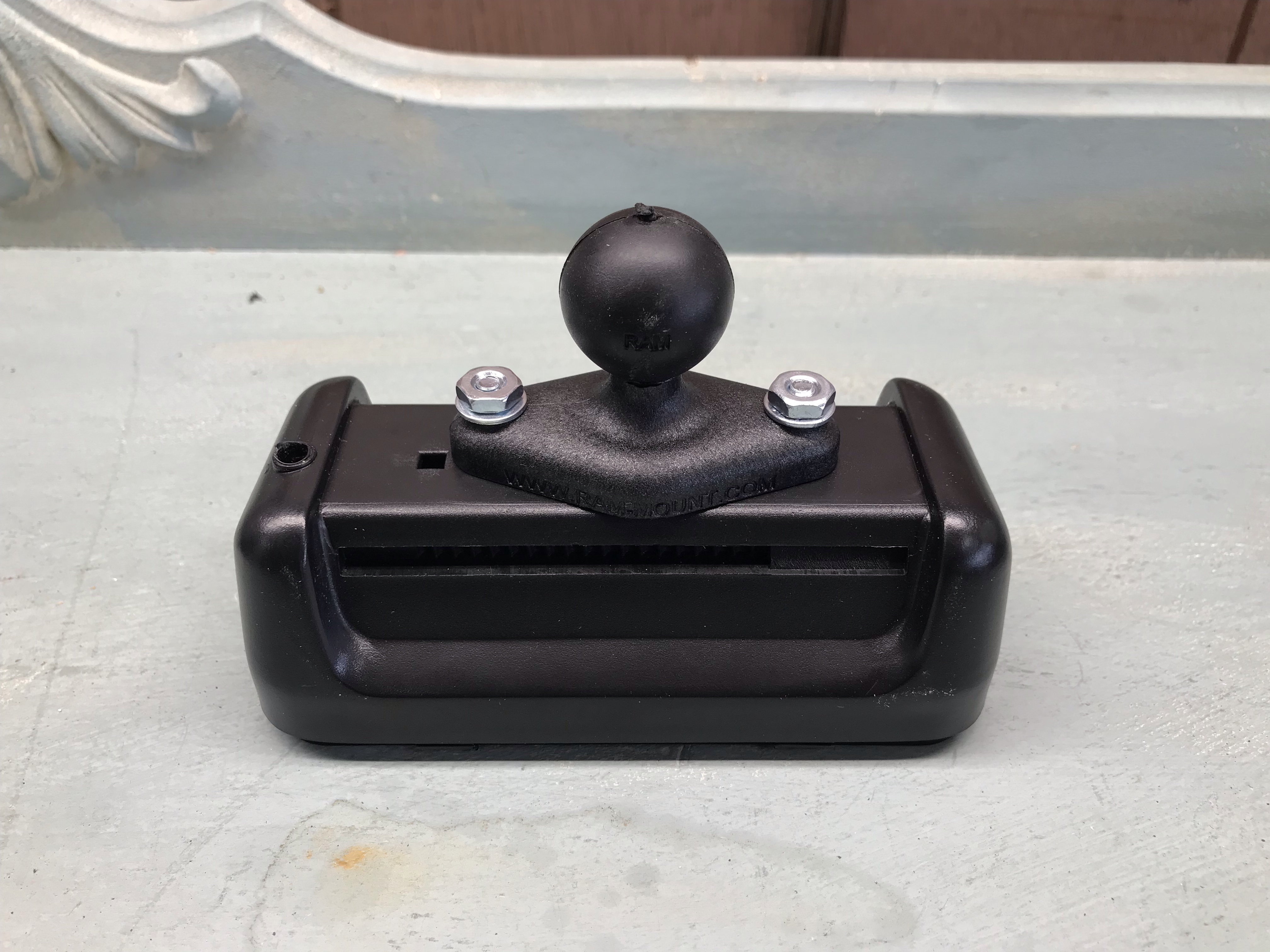
Note that I mounted it slightly off-center to leave room for the square hole, which is a notch for the wires to hook on inside. The offset also worked out well for positioning it in the vehicle, moving it slightly further away from my phone mount.
The new RAM base installed
A couple of additional pieces are necessary to mount this on a RAM track: a T-track ball mount and a double socket arm
LED Lighting
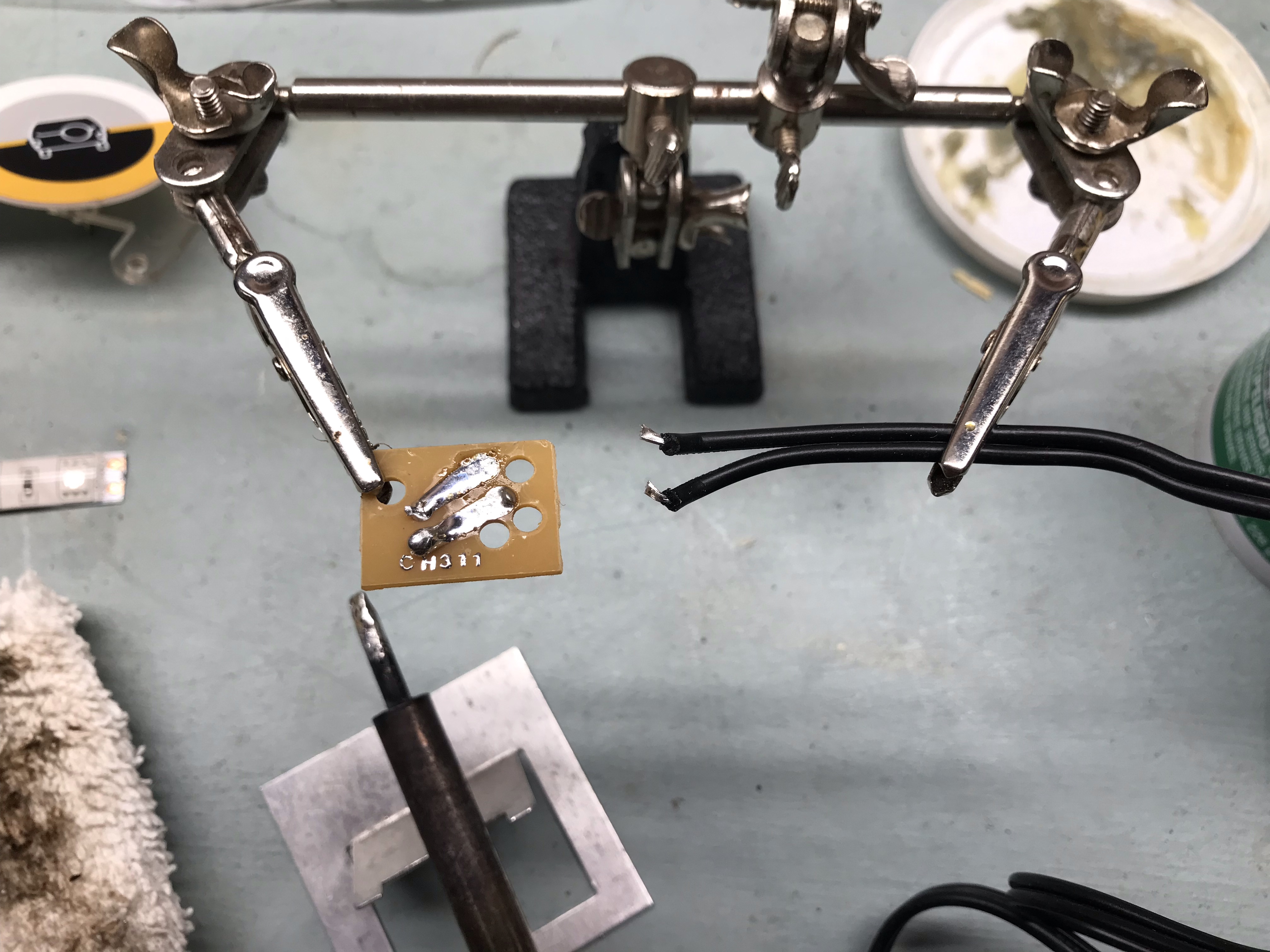
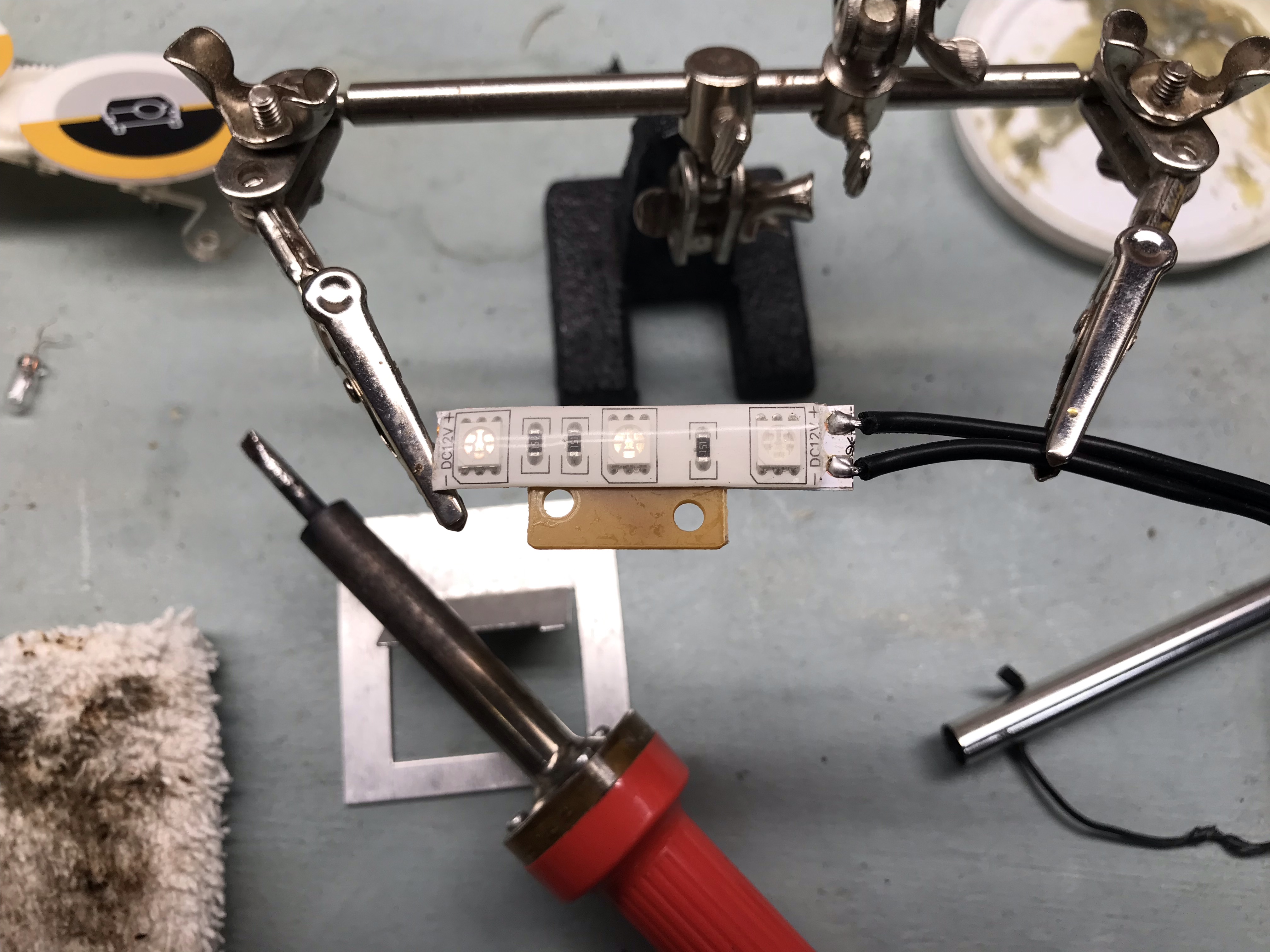
The single factory incandescent bulb wasn’t cutting it for me since it didn’t match the other green LED dash lights I had put in place. Fortunately, it was pretty easy to replace the bulb with a strip of green LEDs with a soldering iron. The bulb was mounted to a board with the power supply wires soldered to it. I could reuse the board for the LED strip, so I desoldered the wires and bulb.
Desoldering the wires and incandescent bulb from the board
Then I soldered the wires to the LED strip, peeled off the protective backing, and stuck it to the board.
The LED strip attached to the board with wires soldered to it.
Then it was just a matter of reinstalling the board in the inclinometer like it was before.
The board reinstalled with the LED strip
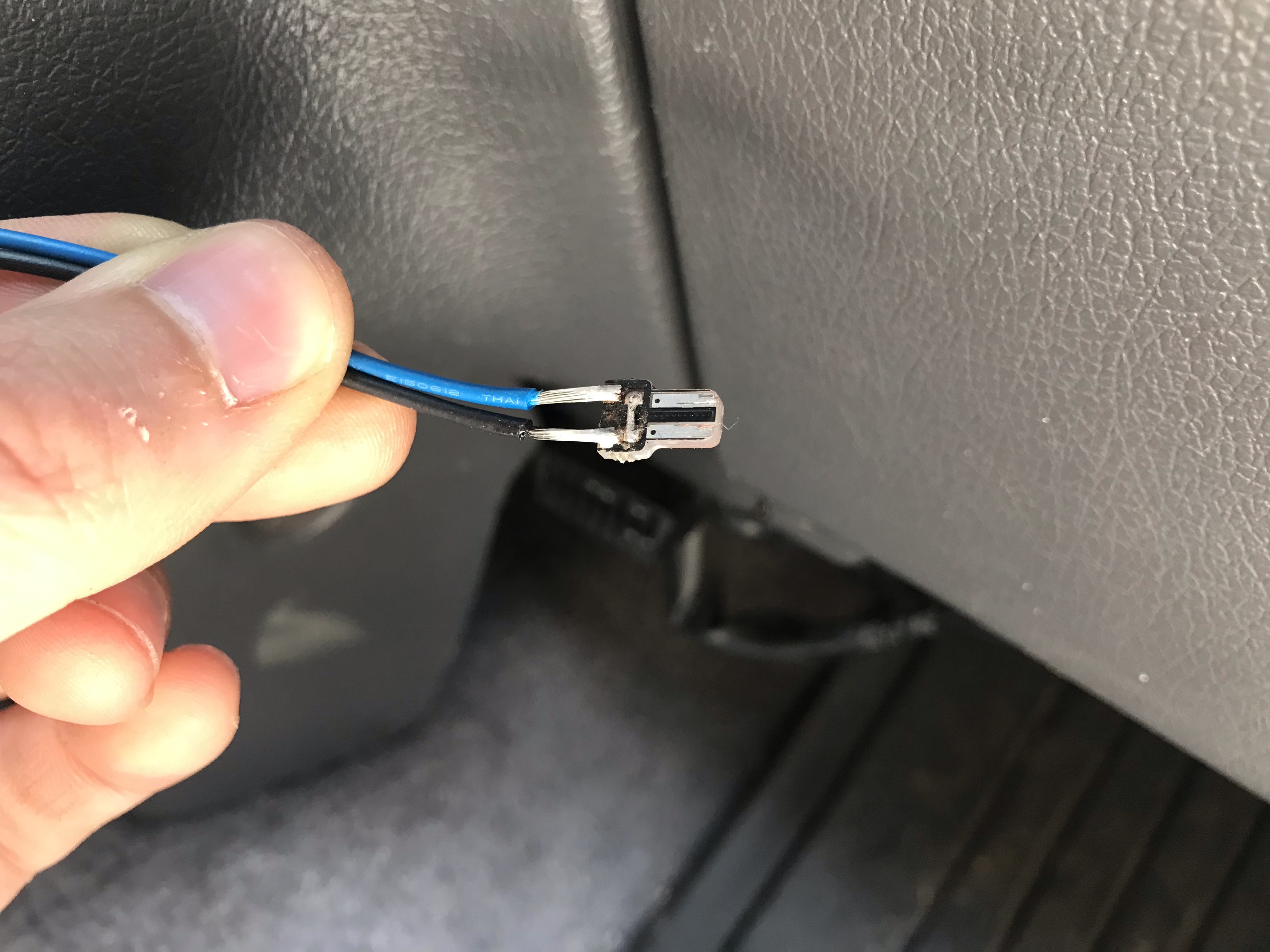
To get power to the inclinometer, I drilled an extra hole in the dash inside the RAM mount track where I could feed the wire. Then, I actually disassembled a T5 LED bulb (size 74 factory bulb) and soldered a couple of lead wires on it so that I could easily plug it into a factory dash bulb location. Since my Midland MXT115 GMRS radio is now where the ashtray used to live, the ash tray bulb socket wasn’t being used, making it the perfect candidate to tie into and keep tucked behind the radio.
Modified T5 LED bulb with lead wiresThe inclinometer illuminated with the green LED strip
Cost
The inclinometer was free to me, but RAM Mount parts aren’t terribly cheap. However, they’re such a great product, this was one of those “buy once, cry once” situations in my book. That said, see if you can buy them on eBay with free shipping since RAM Mount charges a lot for shipping!
Last weekend, we attended Rendezvous in the Ozarks for the second year in a row. It was rainy the first couple of days, so we brought along a 10’ x 10’ canopy to give us cover between our ground tent and the back of the 4Runner. But man! that thing is heavy and bulky.
So when we got back from camping, I started looking into alternatives. There are lighter-weight canopies out there, and also a really cool product called the MoonShade, which is basically a fancy lightweight vehicle awning. But I’m overlanding on a budget, and $325 is a bit steep for an awning. Enter the DIY Poor Man’s MoonShade.
The basic concept consists of a tarp with one side affixed to the vehicle and the opposite side supported by 2 poles. Since I want this to come off the back of the 4Runner, and it’s pretty narrow, I also need a strut to hold the tarp out wider than the 4Runner, similar to the MoonShade’s solution. I also want to run guy lines from the corners to help keep it taut.
Fiberglass tent pole repair kit with crimped ferrules. That last part is important because it allows the pole to insert into the tarp grommets.
2-4 Tent stakes
2 Carabiners (optional)
X ft of paracord
The nice thing about fully adjustable tent poles is that you can set up one slightly taller than the other, or both shorter than the vehicle, to create a slope to shed rain.
The tent pole repair kit was the key piece to this puzzle for me. I was having trouble finding a double-ended tent pole with 2 pins for the grommets like the MoonShade has, and was seriously considering fabricating something myself until I stumbled across this kit with enough poles and pieces to make exactly what I needed.
Build
The main thing that needed to be built was the strut. I assembled the tent pole pieces and laid them out on the 8’ side of the tarp, with the pin end in one of the grommets, and set the other pin end in the opposite grommet to see where to cut the last tent pole section, marking it with a pencil.
Measuring to cut the fiberglass tent pole
Then I cut the tent pole section with a hacksaw, sanded the cut end, and fully assembled the tent pole with the provided shock cord. I tied the shock cord after the pin ends so the whole assembly is contained, and melted the ends of the shock cord to keep it from fraying.
Shock cord tied after the pin endThe completed strut
I also needed a way to affix the strut to my vehicle. MoonShade offers a variety of attachment methods, but since I have a roof rack, I kept it simple and used a couple of tarp ball bungees to hold the strut to the roof rack. In my case, the tarp grommets lined up pretty close to the sides of my roof rack, so I loop the ball bungees through those as well to hold everything together.
Ball bungee in the background holding the strut and tarp to the roof rack
The last piece is the guy lines. I measured out paracord with enough length to tie taut-line hitches for adjustability and tied them permanently to all 4 corners of the tarp. On the vehicle side, I actually attached these to my roof rack with carabiners, but they’re long enough I could stake them to the ground instead.
Guy lines attached to the roof rack
The far side is supported by the telescoping tarp poles and held taut with guy lines staked to the ground.
The Poor Man’s MoonShade
I need to play around with tensioning to make sure water doesn’t pool in the center, but overall, I’m really happy with this build. It’s easier to set up with 2 people, but I can tear it down by myself in just a couple of minutes, which is a lot faster than my 10’ x 10’ pop-up canopy!
When I swapped a 3.4 engine and ECU into my 4Runner, the donor vehicle had an automatic transmission, and the ECU expected to see signals from the automatic transmission solenoids. Without those signals, it would illuminate the check engine light, masking any real issues I may need to investigate. To avoid that, the signals can be spoofed or simulated using resistors. All that’s needed is a little wiring and soldering.
Supplies
(3) 15 ohm power resistor, rated for 25W or higher
(1) 5 ohm power resistor, rated for 50W or higher
18-20 AWG wire
Project box or mounting surface
Tools
Wire cutters/strippers
Soldering iron and solder
Pinout
A 3rd gen 4runner auto ECU will have 5 pins for the Electronically Controlled Transmission (ECT) Solenoid. In a 2002 4runner, these pins are as follows:
SL (Connector E9 Pin 1, LG)
S1 (Connector E9 Pin 3, P-L)
S2 (Connector E9 Pin 2, L-W)
SLT+ (Connector E11 Pin 5, R-Y)
SLT- (Connector E11 Pin 11, Y-B)
Diagram for 2002 4Runner with automatic transmission
The SL, S1, and S2 wires all go through the solenoids to ground. The SLT+ wire goes through the solenoid and back to the ECU to the SLT- pin.
You will need to look at the Electronic Wiring Diagram (EWD) for your 3.4 engine’s model year and confirm the ECU pin locations and wire colors because they vary by year.
Theory
Each solenoid has a range of resistance and voltage that the computer expects to see.
The SL, No. 1, and No. 2 solenoids all have a resistance of 11–15 ohms, and range in voltage from < 1.5 V to 9–14 V, depending on which gear the auto transmission is currently in. Using the formula I = V / R, we can therefore calculate the maximum wattage as 14 V / 11 ohms = 17.8 W. To be safe, I rounded this up to be able to dissipate at least 25 W of power.
The SLT solenoid has a resistance of 5.0–5.6 ohms, and pulses between < 1.5 V and 10–12 V when the engine is idling. Consequently, we can calculate the maximum wattage as 12 V / 5 ohms = 28.8 W. I rounded this up to safely dissipate at least 50 W of power.
Based on this information, we can use 3 power resistors rated for 15 ohms and 25 W to spoof the SL, No. 1, and No. 2 solenoids, and we can use 1 power resistor rated for 5 ohms and 50 W to spoof the SLT solenoid.
Build
Essentially all that needs to be done is soldering wires to the resistors and then connecting the wires to the ECU and ground accordingly.
The wires to the ECU connectors should ideally be joined with a lineman splice to the connector wires and then soldered. This will create a very strong connection to avoid signal interruption to the ECU. Optionally, instead of a direct splice, the wires can be crimped and soldered to terminals or a multi-pin connector so that the simulator can be easily removed from the ECU.
Prototype of the simulator. Notice how the brown ground wires are chained together at the bottom. The wire nuts are very temporary and shouldn’t be used long-term!
There are 2 options for the ground wire coming from 3 of the resistors:
Run it directly to a bolt on the chassis for a direct ground
Splice it into the ground wire coming from the ECU
I opted for option 2 to keep everything ECU-related contained and not have another ground point to worry about.
Testing
Once everything is wired up and the simulator is connected to the ECU and properly grounded, then the ECU should no longer through a Diagnostic Trouble Code (DTC) related to the automatic transmission solenoids. You may need an OBD-II port connected to your ECU to verify this, but if this was the only issue causing the check engine light to illuminate, then the check engine light should no longer be on!
Cost
This was a pretty cheap fix. I only needed to buy the power resistors, and was able to use wires and hardware I already had on hand.
15 ohm power resistors: $15.60
5 ohm power resistor: $7.70
Scrap wires: free
Wood mounting plate: free
Wire nuts: free
Total cost: $23.30
I’m planning to revisit this mod in the near future to tidy it up and move it to the engine bay. The resistors still get pretty toasty, so I’ve slipped the whole assembly into an old coffee can that sits on the passenger floorboard for now so my wife doesn’t burn her foot!